
Noob: Rocket to the Moon Walkthrough and Tips

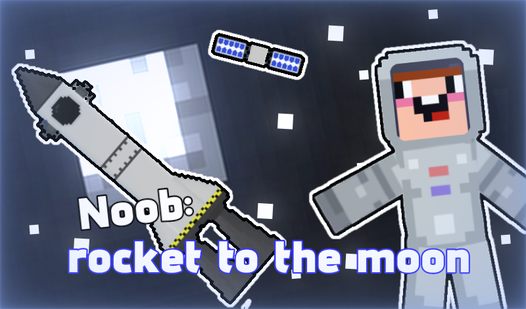
Noob: Rocket to the Moon is completed as one space mission: assemble a rocket, launch it, reach the Moon, land the craft safely, deploy Noob, and plant the flag. The key to beating the game is not aggressive maneuvering but a straight build and short course corrections. Do not rush to activate everything at once. Check the craft first and align it well before the landing begins.
How do you play Noob: Rocket to the Moon?
First assemble a rocket at the launch site, then control its engines and orientation until the lunar mission is complete.
The game has several clear stages. At the launch site, you can select parts and use them to create your own craft. Once construction is complete, the flight begins. You need to rotate the rocket, switch the engines, and click or tap interactive modules. Merely reaching the Moon is not enough. To win, you must survive the landing, send Noob onto the surface, and plant the flag.
On a computer, A and D rotate the rocket, while W switches all engines. Click interactive modules to activate them. On a phone, use the buttons in the lower-left corner to rotate, press the button on the right to switch the engines, and tap modules to activate them.
Before the first proper launch, test each command separately. One quick rotation input will show how fast the craft responds. This short control check takes only a few seconds and can prevent an uncontrolled spin later in the flight.
How do you beat Noob: Rocket to the Moon?
To beat the game, complete construction, launch, flight, landing, and flag placement in order without overlooking the interactive actions after reaching the Moon.
A common mistake comes from misunderstanding the finish condition. A player reaches the Moon and assumes the job is done, but that is only the middle of the final stage. The rocket still has to land, and Noob and the flag must then be activated. If the mission does not finish, examine the available modules and objects on the screen. There is probably one remaining action that requires a click or tap.
During flight, focus on the direction of the hull. If the rocket is already leaning heavily, holding A or D for a long time will often move the same problem to the opposite side. Tap the control briefly, watch the response, and make another correction only when needed. The controls become much easier to read when every input has one clear purpose.
Do not try to fix direction and speed with a random series of commands. Restore a manageable orientation first, then decide whether the engines should be active. This matters most before landing, when an unnecessary burst gives you less time to make the next correction.
How do you play step by step?
Complete the mission one stage at a time and check the result of each action before moving on.
- Inspect the launch site and available parts to learn which elements can be used in the build.
- Assemble a straight and visually balanced rocket so it does not look crooked before launch.
- Locate the interactive modules so you will not have to search for them during the flight.
- Launch the rocket and let it begin moving without adding unnecessary rotation immediately.
- Switch the engines with W or the on-screen engine button to control when thrust is active.
- Adjust the orientation with brief taps of A and D or the rotation buttons to avoid starting a spin.
- Stabilize after every noticeable correction so you can judge the new direction before the next input.
- Prepare for landing early and turn the craft into a suitable orientation before reaching the surface.
- Land without sudden movements while preserving enough control to correct a small tilt.
- Activate Noob and the available modules to step onto the surface and plant the flag.
- Check for a mission-complete response, and inspect the screen for a missed interactive element if nothing happens.
If an attempt ends in a crash, do not repeat every action exactly. Change one variable: the shape of the craft, the timing of a turn, or the length of an engine activation. This makes the cause of failure much easier to identify than a full set of random changes.
How should you build the rocket?
Build around a straight central line and avoid obvious asymmetry that could make the craft harder to control after launch.
The game lets you select different parts and arrange the craft to your liking, but an unusual shape is not always convenient to fly. For the first successful attempt, use a clear and readable construction. Place the elements neatly, check their connections, and look for one side protruding much farther than the other.
There is no need to guess one perfect combination. It is more useful to judge the rocket as a complete object. Is its top and bottom easy to recognize? Does the hull appear bent? Can you quickly find its interactive modules? If the answer to all three questions is yes, the design is ready for a test launch.
After a failed start, think about the first few seconds of flight. A constant turn to one side may come from an awkward build or an overly strong correction immediately after launch. Try a calmer start first. If the craft still behaves badly without any input, return to construction and simplify its shape.
How do you control the rocket without spinning?
Use A and D as brief impulses instead of holding either key until the rocket completes a large turn.
The craft can continue changing orientation after an input, so the full result is not always visible immediately. Tap A or D, release the key, and watch the hull. If it has not reached the required angle, add a second short input. The same principle works on a touchscreen: several quick taps are safer than one long press.
The W key switches all engines together. Before pressing it, decide why you need thrust. It helps the rocket continue moving during launch, but it can increase the deviation when the hull is poorly aligned. It is often safer to straighten the craft first and switch the engines back on afterward.
If the rocket begins spinning, do not hold the opposite control in a panic. Make a brief counter-correction and release it. Holding the key for too long may stop the original rotation for a moment, only to start a new spin in the opposite direction. Patient piloting works better than fast button mashing.
How do you land safely on the Moon?
Prepare the landing before reaching the surface so the last few moments require only small adjustments instead of a full rotation.
It is easy to treat the approach to the Moon as another part of the flight, but this is the right time to slow down your inputs. Watch the orientation and avoid approaching the surface sideways. The earlier the hull reaches a manageable position, the less likely you are to need a desperate turn near the ground.
Use a simple cycle: brief input, observation, next input. If the craft already looks reasonably straight, do not correct every tiny tilt. Chasing a perfect angle often adds unnecessary movement and causes a loss of control.
Once the rocket touches down, do not assume the walkthrough is over. Look for interactive actions that have become available. Activate the required module, deploy Noob, and plant the flag. A safe landing gives you the opportunity to complete the mission, but the final action still has to be performed by the player.
Why can the mission fail to finish?
The usual causes are a missed module, an incomplete landing, or failure to complete the final actions with Noob and the flag.
If the rocket does not launch, make sure construction is complete and check whether the required elements have been activated. Then try W on a computer or the engine button on the right side of the mobile screen. Avoid pressing every command at once because that makes it difficult to tell which action worked.
If the craft quickly loses direction, restart and avoid all rotation inputs during the first few seconds. Watch its natural movement. A stable launch means the previous problem was probably caused by unnecessary commands. A repeated lean without any input is a reason to reconsider the build.
If the rocket arrives but the flag is not placed, look for the next interaction after landing. Click only the modules and character that visibly respond instead of tapping the whole screen randomly. A clear sequence is easier to check: land, activate the exit, deploy Noob, and plant the flag.
On a phone, missing a small button can look like a control failure. Tap the center of the element and check for a visual response after every input. If nothing happens, lift your finger completely and try one short tap again.
What tips make the walkthrough easier?
The quickest route to success is a calm testing process in which every new attempt addresses one specific mistake.
- I test A, D, and W with short inputs before trying to fly perfectly. Within a few seconds, I know how sensitive the controls feel.
- I do not rebuild the entire rocket after one crash. I change one part or one control moment first, because otherwise I cannot tell what solved the problem.
- I stop making long corrections before landing. One brief turn followed by a pause gives me more control than trying to reach a perfect angle instantly.
- After touching the Moon, I check Noob, the modules, and the flag separately. The flight can be over while the mission still waits for its final click.
What can you play after finishing the mission?
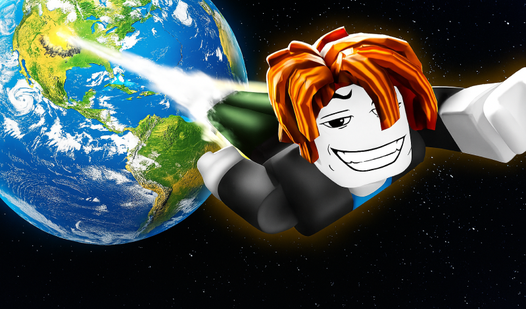
After the lunar mission, try two more games featuring Noobs, rockets, and a climb into space with different control challenges.
FAQ
What is the goal of Noob: Rocket to the Moon?
You must build a rocket, reach the Moon, land safely, deploy Noob, and plant the flag.
How do you control the rocket on a computer?
A and D rotate the rocket, W switches all engines, and clicking activates interactive modules.
How do you control the rocket on a phone?
Use the lower-left buttons to rotate, the right button to switch the engines, and tap interactive modules to activate them.
Why does the game not end after landing?
Landing is not the final action. Activate the available elements, deploy Noob, and place the flag on the lunar surface.