
Free Hidden Object Games: Rules, Tips, and Picks

Free hidden object games challenge you to find listed items inside a detailed scene before time or hints run out. Start by reading the full object list, scan the picture in an orderly pattern, and click only when you can identify an item clearly. Most browser versions need no download: open a game, learn its hint and penalty rules, then begin searching.
What are the rules of hidden object games?
The basic rule is to locate every requested object in the scene while avoiding inaccurate clicks and unnecessary hints.
A level usually presents an illustrated location and a list of names, silhouettes, or fragments. Clicking the correct object removes it from the list. The level ends when you find the full set, although some games add a timer, limited mistakes, a score target, or several connected scenes.
Objects may be partly covered, rotated, resized, recolored, or placed beside shapes with similar outlines. That visual camouflage is the central challenge. Before starting, check whether wrong clicks reduce your score or time. Also identify the hint button and learn whether it recharges, costs points, or has a fixed number of uses.


How do you play hidden object games step by step?
A reliable search routine helps you clear scenes with fewer mistakes and prevents the frantic clicking that makes difficult objects even harder to see.
- Read the list first to set priorities. Note familiar objects you can recognize instantly and ambiguous words that may require closer inspection.
- Inspect the whole scene to build a mental map. Look for major zones such as shelves, tables, windows, walls, floors, plants, and furniture before clicking anything.
- Scan in a fixed direction to cover every area. Move from left to right in horizontal bands, or clockwise around the edges before checking the center.
- Match shapes before colors to resist camouflage. Lighting can alter color, but handles, rims, blades, stems, and other outlines often remain recognizable.
- Confirm the object before clicking to protect your score. Check its size, orientation, and relationship to nearby items instead of relying on a vague resemblance.
- Remove obvious objects to reduce mental load. Each easy find shortens the list and lets you concentrate on the few targets that remain.
- Change your viewing scale to reveal hidden forms. Zoom in for tiny details, then zoom out when an object may be larger than expected.
- Use a hint only after a complete rescan. A hint is most valuable when you are genuinely stuck, especially if the game limits hints or ties them to score.
- Pause and reset your eyes when progress stops. Look away briefly, reread the remaining word, and return with a fresh search pattern.
How do you win at hidden object games?
You win consistently by combining complete scene coverage with careful target recognition, not by clicking faster at random.
Start with the items that stand out immediately. Quick early finds create space on the list, but slow down as the scene becomes less obvious. For each stubborn target, translate its name into visual features. A “key” suggests a narrow shaft and toothed end; a “cup” suggests a curved bowl and handle. This shape vocabulary makes unusual colors and rotations less deceptive.
Search object-sized spaces. A large suitcase is unlikely to fit inside a tiny drawer, while a coin could hide almost anywhere. Context can guide you, but do not trust it completely: hidden object designers often place items in surprising locations precisely to defeat normal expectations.
If the level is timed, divide the remaining targets by the time left. Keep scanning when you have a comfortable margin. Use a hint sooner if one final object is consuming the entire clock. Saving every hint is pointless if the timer expires.


What strategies make hidden objects easier to find?
The best strategies control your attention so that decorative clutter cannot repeatedly pull your eyes toward the same places.
Use a grid. Divide the scene into four, six, or nine imaginary sections and finish one before moving to the next. Mark completed areas mentally using stable landmarks. This prevents the common habit of checking the center repeatedly while neglecting corners and borders.
Search the edges of other objects. Camouflaged items often share lines with furniture, curtains, branches, picture frames, or architectural details. Instead of staring at open spaces, trace outlines and look for a contour that changes unexpectedly.
Alternate between target-led and scene-led searching. In target-led mode, choose one word and hunt for its defining shape. In scene-led mode, inspect everything in a small area and compare each recognizable object with the list. Switching modes can break a search deadlock.
Pay attention to scale and orientation. A spoon might appear vertical, a ladder horizontal, or a normally small object exaggerated to blend with the background. Do not search only for the version of an item you would see in real life.
Finally, protect visual focus. Play at a comfortable screen brightness, enlarge the browser view if needed, and move the pointer away from the area you are studying. A cursor hovering over the scene can conceal exactly the detail you need.
What mistakes should beginners avoid?
The biggest beginner mistake is random clicking, which can trigger penalties while teaching you nothing about the scene.
Do not keep scanning the same path after it has failed. Reverse direction, switch from the center to the border, or inspect one grid section at a time. Repetition feels productive but often means your attention is trapped by prominent decorations.
Avoid assuming that every word has only one visual meaning. “Bat” could refer to sports equipment or an animal, while “glasses” might mean eyewear or drinking vessels depending on the image. Use the scene and silhouette, if provided, to resolve ambiguity.
Do not spend several minutes on one target while ignoring the rest of the list. Another object may be easy, and finding it can expose a detail or reduce clutter. Likewise, do not burn hints on obvious early items. Save them for a final target, a timed emergency, or a word you genuinely do not understand.


What types of hidden object games can you play?
Hidden object games vary mainly in how targets are presented and how levels are structured.
Classic list games give you written object names. Silhouette games show black outlines, making shape recognition more important than vocabulary. Picture-list versions display small images of the targets. Fragment hunts ask you to collect pieces of a larger object, while difference games place two similar scenes together and challenge you to identify changes.
Story-driven versions connect searches through characters, clues, and locations. Mystery hybrids add puzzles, locked containers, inventories, or escape-room logic. Relaxed modes remove the timer, while score-focused modes reward quick finds, accuracy, or uninterrupted streaks. If you want calm observation, choose untimed play. If you enjoy replaying levels for efficiency, choose timed or scored modes.
What are the best free hidden object games to play online?
The best free hidden object game is one with readable scenes, fair camouflage, clear feedback, and a difficulty level that keeps you observant without forcing blind guesses.
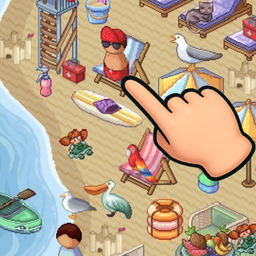
Theme also matters because you will spend most of the session studying the artwork. Hidden Object: My Hotel suits players who like indoor scenes and decorative environments. Hidden Objects: Cuba offers a destination-based theme for players who want a change from familiar rooms. Hidden Objects: Japan is another travel-themed choice, while Hidden Objects: Island is a natural pick if you prefer an island setting.
These titles can serve as separate practice sets rather than a strict ranking. Try one scene, notice whether the item size and visual density feel comfortable, and switch if the design is too easy or too cluttered. A strong starting game should make missed objects seem understandable once revealed. If a hint exposes an item that was effectively invisible or misleading, that is poor difficulty rather than a lack of skill.

How can you improve without using more hints?
Improvement comes from reviewing why you missed an object and changing your next scan accordingly.
After a difficult find, identify the trick. Was the item rotated, unusually large, hidden near the border, blended by color, or merged with another outline? Naming the disguise builds a useful library of patterns. On later levels, deliberately check for the kinds of camouflage that fooled you before.
Accuracy should improve before speed. Complete a few levels with minimal wrong clicks, even if you take longer. Once your scanning pattern is dependable, begin setting gentle time goals. Speed gained from systematic recognition is repeatable; speed gained from guessing is not.
FAQ
Can I play hidden object games for free without downloading them?
Yes. Browser-based hidden object games can run directly on a compatible desktop or mobile browser, although individual games may differ in loading time and controls.
Are hidden object games good for attention practice?
They exercise visual scanning, pattern recognition, and sustained attention during play. They are entertainment, however, and should not be treated as a medical or cognitive treatment.
What should I do when I cannot find the last object?
Reread its name, zoom out, inspect borders, reverse your scanning direction, and search for its outline at an unexpected size or angle. Use a hint after one complete fresh scan.
Do hidden object games work better on a large screen?
A larger display can make small details easier to distinguish, but zoom controls and landscape orientation can also make many games comfortable on phones and tablets.