





Key Features
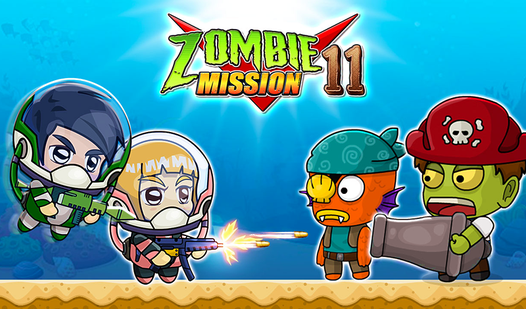
- Co-op chaos: Teaming up is the only way to survive the later waves. You have to watch each other's backs.
- Grenade physics: Tossing explosives requires timing. If you miss the arc, you are just wasting precious resources.
- Mega hits: Holding the fire button charges a heavy shot. It’s perfect for punching through shielded enemies.
- Water movement: Swimming up walls is weirdly clunky. It adds a layer of difficulty.
How to Play
Mastering the Zombie Mission 11 controls
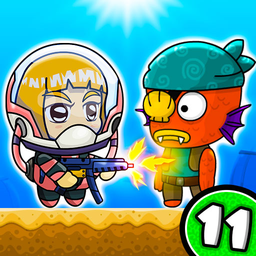
To learn how to play Zombie Mission 11, memorize the layout. Player 1 uses WASD to move and C to fire, while Player 2 handles the arrows and L. Don't just spray bullets. Save your grenades for the bigger groups or you will be overwhelmed before the first boss.
Zombie Mission 11: Surviving the chaos
The Zombie Mission 11 controls feel a bit floaty when you jump. You need to account for that drift or you will fall into pits constantly. That is the most common mistake. Once you hit the later stages, the enemy density ramps up, and you’ll need that special attack to clear a path.
Who Should Play Zombie Mission 11?
Frequently Asked Questions about Zombie Mission 11
Does Zombie Mission 11 have multiplayer?
Yes, this game is built specifically for two players on the same keyboard. You can also tackle the levels solo if you prefer to be a lone wolf.
How do you use the special attack in Zombie Mission 11?
You must wait for your special bar to fill up completely. Once it is glowing, press Q and E simultaneously to wipe the screen of enemies.
Is Zombie Mission 11 free to play?
Yes, Zombie Mission 11 is completely free to play on Nub Games. There are no in-app purchases. No download or registration required.
Can I play Zombie Mission 11 on mobile?
Zombie Mission 11 is currently available on desktop only. Best played in landscape mode.
What age rating is Zombie Mission 11?
The catalog age rating for Zombie Mission 11 is 12+.