









Key Features
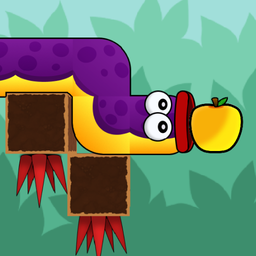
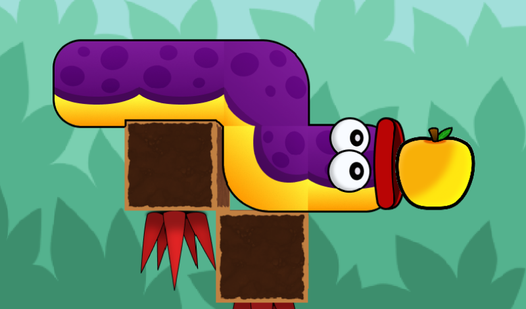
- Growing length mechanic: Every apple turns you into a longer obstacle. You must account for your own body blocking your previous path.
- Grid-based logic: Each level is a tight puzzle box. Turning in the wrong direction usually spells instant failure.
- Tight level design: The later levels are kind of unfair. You have almost zero room for error once you hit twenty segments.
- Mobile friendly: Tap the screen to steer. It works perfectly on phones.
How to Play
Mastering Worm: Apple Quest movement
Use WASD or arrow keys to navigate the grid. Worm: Apple Quest controls feel a bit slippery at first, so commit to your turns early. If you hesitate, you will definitely crash into your own body. This is how to play Worm: Apple Quest without getting stuck in a loop.
Why Worm: Apple Quest gets harder
Eating apples makes you longer, which sounds great until you realize your hitbox is massive. You need to plan your path backward from the goal. A common mistake is rushing blindly; if you trap yourself in a corner, you have to restart the whole level. Good luck with the later stages.
Who Should Play Worm: Apple Quest?
Frequently Asked Questions about Worm: Apple Quest
How many levels does Worm: Apple Quest have?
The game includes 32 levels that start off simple and get progressively more cramped. You will definitely notice the difficulty spike once you hit the halfway point.
Can I play Worm: Apple Quest on my phone?
Yes, it works on mobile devices using on-screen buttons. The controls are responsive enough that you will not feel like you are fighting the interface.
Is Worm: Apple Quest free to play?
Yes, Worm: Apple Quest is completely free to play on Nub Games. Optional in-app purchases are available. No download or registration required.
Can I play Worm: Apple Quest on mobile?
Worm: Apple Quest works on both desktop and mobile devices. Best played in none mode.
What age rating is Worm: Apple Quest?
The catalog age rating for Worm: Apple Quest is 6+.