











Key Features
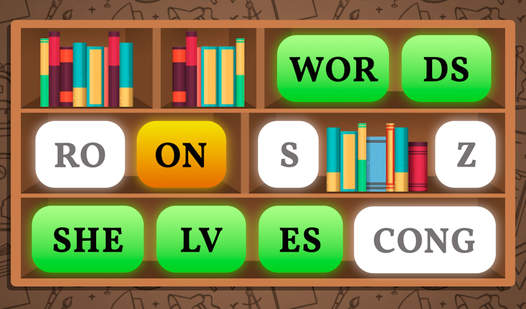
- Mental sorting: Your brain has to track multiple word fragments across different zones. It turns vocabulary into a high-speed visual hunt.
- Massive library: With over 1200 words, you rarely see the same set twice. This keeps your memory sharp.
- Shelf mechanics: The far shelf mechanic forces you to look beyond the immediate view. It adds a spatial layer to basic word games.
- Clunky UI: The interface feels a bit dated and sometimes drags when you move pieces. It works, but it is not the smoothest.
How to Play
Mastering Words on Shelves controls
Click the fragments in the right order to build your word. It is simple, but do not get cocky. You need to use your mouse or tap the screen to grab pieces. Learning how to play Words on Shelves is quick, yet the difficulty spikes fast once you run out of obvious choices.
When Words on Shelves gets tricky
Check the far shelf if you are missing a piece. Many players make the mistake of clicking wildly before scanning the entire screen. Take a breath. If a word looks impossible, you probably missed a fragment tucked away in the back rows. Patience is your best weapon here.
Who Should Play Words on Shelves?
Frequently Asked Questions about Words on Shelves
How do you find missing pieces in Words on Shelves?
Look at the far shelf if the fragments you need are not in the foreground. You often have to scan the entire screen to spot the correct sequence.
Can I play Words on Shelves on my phone?
Yes, it works on mobile devices as well as your desktop. The touch controls are responsive enough to handle the shelf sorting without much hassle.
Is Words on Shelves free to play?
Yes, Words on Shelves is completely free to play on Nub Games. There are no in-app purchases. No download or registration required.
Can I play Words on Shelves on mobile?
Words on Shelves works on both desktop and mobile devices. Best played in portrait mode.
What age rating is Words on Shelves?
The catalog age rating for Words on Shelves is 6+.