




Key Features
- Progressive difficulty: The first fifty levels are a walk in the park. Then the words get long and the grid gets mean.
- Visual comfort: The wooden aesthetic keeps things grounded. It feels like solving a newspaper puzzle rather than a neon light show.
- Built-in dictionary: Tap a word to see what it means. It is a win-win when you learn something new while failing.
- Helpful boosters: Magnifying glasses reveal letters when you are completely lost. Use them sparingly to keep the challenge sharp.
How to Play
Mastering Woody Cross connections
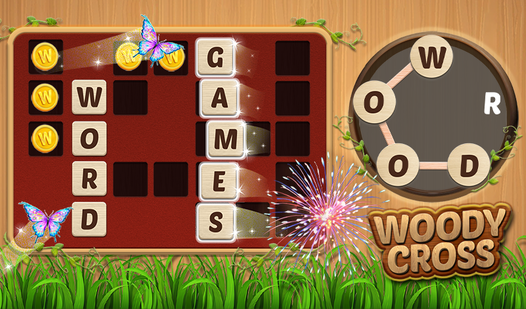
To learn how to play Woody Cross, just tap and drag between letters to form valid words. The Woody Cross controls are simple enough that you will get the hang of it during the first level. Just watch out for your finger placement. You will accidentally swipe the wrong letter constantly.
Why fill every Woody Cross grid?
Your goal is to fill the crossword grid using the letters provided in the circular tray. Every word you find chips away at the level. When you get stuck, use those firecrackers to blast open a letter. Just save them for the later boards, because you will definitely need them.
Who Should Play Woody Cross?
Frequently Asked Questions about Woody Cross
How do you use boosters in Woody Cross?
Tap the magnifying glass or firecracker icon at the bottom of the screen. They will highlight or fill in a letter, but you should not rely on them too much.
Can I play Woody Cross on my phone?
Absolutely, the game runs perfectly on mobile browsers. It is free to access on any device, making it a solid choice for quick sessions while you are commuting.
Is Woody Cross free to play?
Yes, Woody Cross is completely free to play on Nub Games. There are no in-app purchases. No download or registration required.
Can I play Woody Cross on mobile?
Woody Cross works on both desktop and mobile devices. Best played in portrait mode.
What age rating is Woody Cross?
The catalog age rating for Woody Cross is 6+.