











Key Features
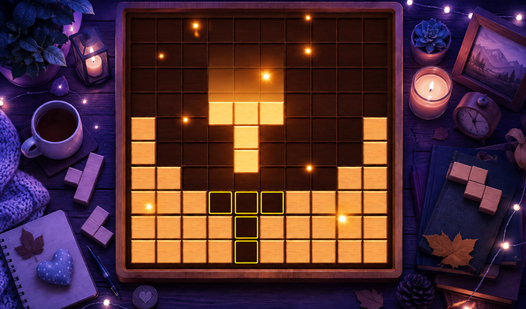
- Grid Tactics: Clear lines to keep the board open. If the grid fills up, you lose your current run immediately.
- Voyage Mode: Thirty levels of specific objectives. It forces you to prioritize weird shapes over making easy lines.
- Visual Skins: Switch between classic wood and plastic. The plastic skin looks cleaner, though the wooden one feels more nostalgic.
- Robot Assistant: A little droid pops up to help. It is mostly there for encouragement when you make a bad move.
How to Play
Mastering Wooden Blocks placement
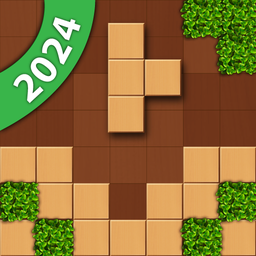
Drag shapes onto the grid using your mouse or touchscreen. The Wooden Blocks controls are simple, but don't get cocky. You must clear rows or columns to keep the board empty. Placing pieces randomly is a common mistake that leaves you trapped with no moves left.
How to play Wooden Blocks quests
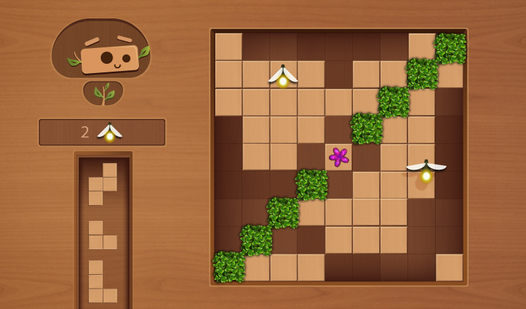
In Voyage mode, you collect fireflies and stop spreading plants. It adds pressure beyond just chasing a high score. You need to hit specific targets to unlock jigsaw pieces. Keep an eye on those plant tiles, because they take over the board if you ignore them for too long.
Who Should Play Wooden Blocks?
Frequently Asked Questions about Wooden Blocks
Can I play Wooden Blocks on my phone?
Yes, it works perfectly on mobile devices. You just open your browser, load the site, and start tapping away at the grid without needing an app.
How do you clear blocks in Wooden Blocks?
You clear blocks by filling an entire row or column on the 9x9 grid. If you manage to destroy more than nine blocks in one move, you get bonus points.
Is Wooden Blocks free to play?
Yes, Wooden Blocks is completely free to play on Nub Games. There are no in-app purchases. No download or registration required.
Can I play Wooden Blocks on mobile?
Wooden Blocks works on both desktop and mobile devices. Best played in portrait mode.
What age rating is Wooden Blocks?
The catalog age rating for Wooden Blocks is 0+.