











Key Features
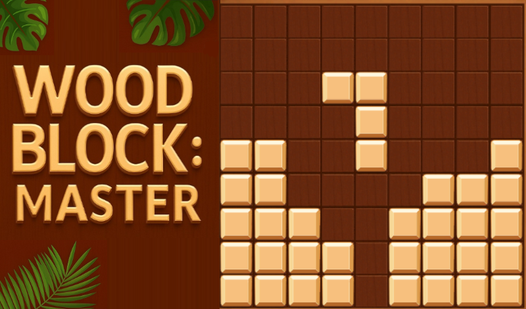
- Tactile wooden aesthetic: The tiles look like real lumber. It feels grounded compared to those neon-soaked puzzles that hurt your eyes after a while.
- Zero time pressure: Think for an hour if you want. Nobody is rushing your decisions here.
- Satisfying board clears: Clearing multiple lines at once triggers a nice visual feedback. It makes the board feel fresh again.
- Simple logic loop: There is no complex story. Just you against the grid.
How to Play
Wood Block: Master placement strategy
Use your mouse or tap to drag shapes from the bottom tray onto the grid. You learn how to play Wood Block: Master by prioritizing line clears over fancy patterns. The Wood Block: Master controls are click-and-drag. Do not trap yourself by building tall towers in the center, or you will run out of space quickly.
Clearing lines in Wood Block: Master
Fill any horizontal or vertical row to pop the tiles off the board. This earns points and buys you breathing room. The biggest mistake is ignoring the corners until they are impossible to fill. If you let the board get too cluttered, you will lose within seconds.
Who Should Play Wood Block: Master?
Frequently Asked Questions about Wood Block: Master
What are the controls for Wood Block: Master?
You just need your mouse or a touchscreen to play. Simply click or tap a block to drag it onto the grid, releasing it to lock it into position.
Can I play Wood Block: Master on my phone?
Yes, you can play on your mobile phone or desktop browser. The game is responsive, though the smallest blocks can be fiddly on a tiny screen.
Is Wood Block: Master free to play?
Yes, Wood Block: Master is completely free to play on Nub Games. There are no in-app purchases. No download or registration required.
Can I play Wood Block: Master on mobile?
Wood Block: Master works on both desktop and mobile devices. Best played in none mode.
What age rating is Wood Block: Master?
The catalog age rating for Wood Block: Master is 0+.