











Key Features
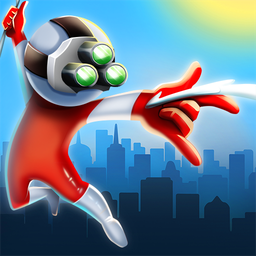
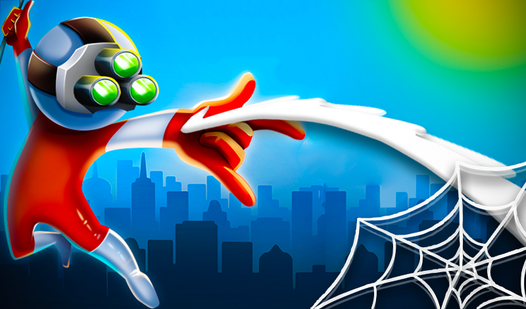
- Slingshot Physics: Every swing builds tension in the web. You feel the pull as you whip around corners to take out targets.
- Enemy Roster: Bad guys wait in specific spots to ruin your flow. You have to time your strikes perfectly to clear them.
- Visual Upgrades: Unlock new looks as you progress. Small cosmetic changes make the movement feel fresh after a few dozen attempts.
- Tight Geometry: Level designs prioritize sharp turns. One wrong click sends you spiraling into a pit, so stay sharp.
How to Play
Wall Crawler: Mastering the Web
To start, drag your mouse or finger to aim that web line. Release to launch yourself forward. You need to calculate the arc before letting go, otherwise you’ll hit a wall face-first. Learning how to play Wall Crawler takes a minute because the physics feel a bit floaty at first.
Wall Crawler controls and momentum
Your Wall Crawler controls rely on your ability to chain swings. Don’t just spam clicks. Wait for the peak of your arc to detach, or you’ll lose all your speed. Most people mess up by aiming too low. Aim for the high points to stay airborne and zoom past those enemies.
Who Should Play Wall Crawler?
Frequently Asked Questions about Wall Crawler
How do you aim in Wall Crawler?
You drag your mouse or finger away from your character to set the trajectory. The longer the line, the further you will slingshot once you release the input.
Can I play Wall Crawler on my phone?
Yes, it works on mobile browsers without any issues. Just tap and drag on your screen exactly like you would with a mouse cursor on a desktop computer.
Is Wall Crawler free to play?
Yes, Wall Crawler is completely free to play on Nub Games. There are no in-app purchases. No download or registration required.
Can I play Wall Crawler on mobile?
Wall Crawler works on both desktop and mobile devices. Best played in none mode.
What age rating is Wall Crawler?
The catalog age rating for Wall Crawler is 12+.