








Key Features
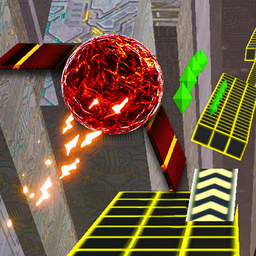
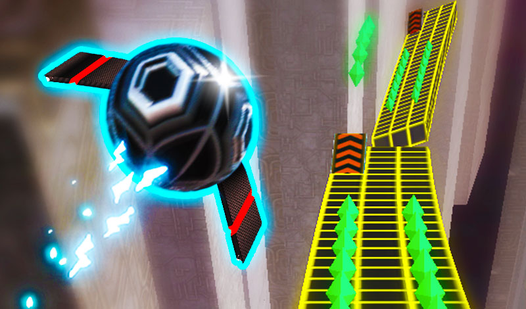
- Winged jumps: Jump off ramps to deploy wings. They stabilize your flight path so you don't wobble mid-air.
- Diamond collection: Gather diamonds to unlock six unique skins. You'll want to risk everything just to look stylish.
- Split-screen chaos: Grab a friend for local co-op. It turns the game into a frantic race for survival.
- Dark aesthetic: The neon geometry looks sharp, though the dark background occasionally makes depth perception a total nightmare.
How to Play
Mastering Two Ball 3D: Dark controls
To start, use the A/D keys or the arrow keys to move. You need to stay centered. If you steer too wide, you'll plummet into the void. This is the core of how to play Two Ball 3D: Dark. Remember, Two Ball 3D: Dark controls are twitchy, so don't overcorrect.
Two Ball 3D: Dark: Using your power-ups
Press 1 for armor, 2 for the magnet, or 3 for a double counter. These shortcuts save your run during the chaotic sections. A common mistake is wasting them early. Save that magnet for when the diamonds are scattered across a narrow ledge. You'll thank me when you unlock those cool new ball skins.
Who Should Play Two Ball 3D: Dark?
Frequently Asked Questions about Two Ball 3D: Dark
Does Two Ball 3D: Dark have multiplayer?
Yes, you can play with a friend on the same keyboard. It is a blast to see who can survive the longest without falling off the edge.
How do you use the magnet in Two Ball 3D: Dark?
Just hit the 2 key when you see diamonds nearby. The magnet pulls them toward your ball automatically, saving you from making risky maneuvers to grab them.
Is Two Ball 3D: Dark free to play?
Yes, Two Ball 3D: Dark is completely free to play on Nub Games. There are no in-app purchases. No download or registration required.
Can I play Two Ball 3D: Dark on mobile?
Two Ball 3D: Dark is currently available on desktop only. Best played in landscape mode.
What age rating is Two Ball 3D: Dark?
The catalog age rating for Two Ball 3D: Dark is 0+.