






Key Features
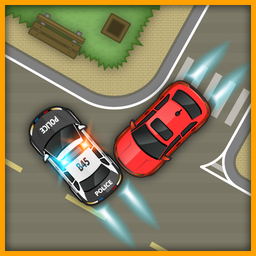
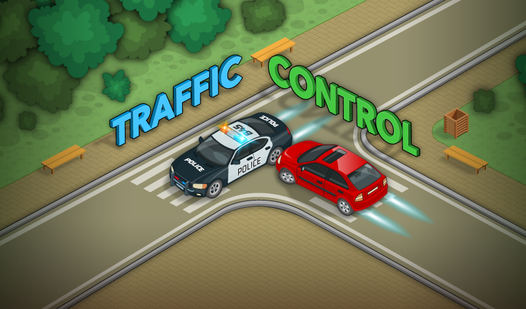
- Panic management: The screen gets crowded fast. You have to decide which car gets priority before the intersection becomes a total wreck.
- Tram hazards: Trams are giant, unstoppable walls. They ignore your speed commands, so you must time your gaps around them perfectly.
- Speed boosts: Tapping cars earns extra points. It is a risk versus reward system that makes you want to drive faster.
- Slow-motion saves: Sometimes everything is about to crash. Hit the brake to freeze the chaos and plan your next move.
How to Play
Mastering Traffic Control basics
Tap any car to make it zoom forward. You use this to clear tight spots or dodge cross-traffic. Traffic Control controls are simple taps, but you must keep an eye on everything. Watch the trams closely. They do not stop for anyone, and hitting one ends your run immediately.
How to play Traffic Control safely
Use the slow-down button when you get overwhelmed. It gives you a second to breathe and spot incoming wrecks. The biggest mistake is speeding up every car at once. You will trigger a massive pileup if you ignore the gaps. Later levels get chaotic, so keep your cool.
Who Should Play Traffic Control?
Frequently Asked Questions about Traffic Control
Can I play Traffic Control on my phone?
Yes, it works perfectly on mobile browsers. You just tap the screen to manage the flow instead of clicking with a mouse.
What are the controls for Traffic Control?
You tap a car to speed it up and hold to slow it down. The touch detection feels a bit sensitive on small screens, so be careful.
Is Traffic Control free to play?
Yes, Traffic Control is completely free to play on Nub Games. There are no in-app purchases. No download or registration required.
Can I play Traffic Control on mobile?
Traffic Control works on both desktop and mobile devices. Best played in landscape mode.
What age rating is Traffic Control?
Traffic Control has a content rating of 0++. It is suitable for all ages.