






Key Features
- Smart Rack Limits: Limited slots force you to prioritize specific tiles. One wrong click clogs your board.
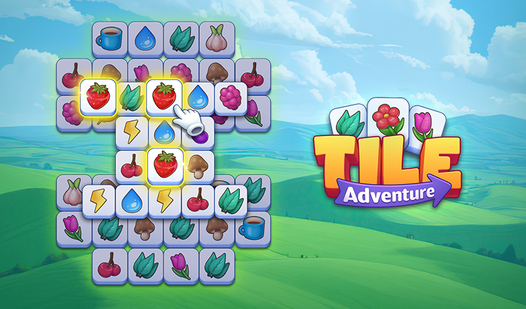
- Visual Pattern Depth: Intricate tile designs look great. They make spotting matching sets much harder than it seems.
- Strategic Power-ups: Undo and Shuffle save your run. Use them wisely, as they vanish after one use.
- Progression Milestones: Earn achievements for clearing boards. You will need them to prove you aren't just guessing.
How to Play
Mastering Tile Adventure mechanics
To learn how to play Tile Adventure, use your mouse or tap to grab tiles. You need to stack three identical icons on your rack to pull them off the board. Tile Adventure controls are simple, but clicking too fast often leads to a full rack and an instant game over.
Why Tile Adventure board management matters
Don't fill your slots with random junk. If you pick up single tiles without a plan, you will run out of space before mid-game. Save your shuffle items for when the board looks hopeless. Later levels get cramped, and you will definitely curse the screen when no matches appear.
Who Should Play Tile Adventure?
Frequently Asked Questions about Tile Adventure
Can I play Tile Adventure on my phone?
Yes, you can access the game via any mobile browser. It runs fine on smaller screens, though tapping the tiny tiles requires steady hands.
How do you clear the rack in Tile Adventure?
You must select three identical tiles to remove them from your rack. Once you create a match, those slots open up for more pieces from the board.
Is Tile Adventure free to play?
Yes, Tile Adventure is completely free to play on Nub Games. There are no in-app purchases. No download or registration required.
Can I play Tile Adventure on mobile?
Tile Adventure works on both desktop and mobile devices. Best played in portrait mode.
What age rating is Tile Adventure?
The catalog age rating for Tile Adventure is 0+.