











Key Features
- Strict Move Limits: Every tap counts toward your total. You lose if you exhaust your moves before the structure is empty.
- Complex Geometry: Shapes get weird quickly. You will need to rotate the field to spot the hidden cubes.
- Daily Challenges: Test your speed against a clock. It forces you to think fast instead of debating every single click.
- Custom Skins: Unlock new looks for your blocks. It keeps the screen from feeling stale after you finish a dozen levels.
How to Play
Take It Apart: The Basics
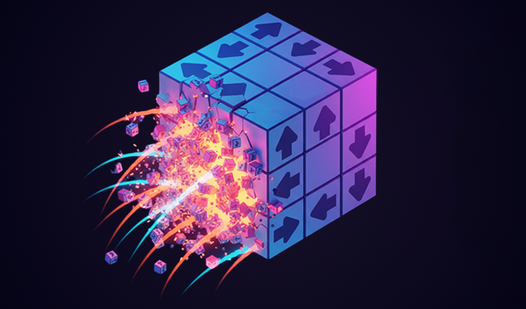
Drag your cursor or swipe to rotate the structure and find the right angle. Tap a cube to launch it in the direction of its arrow. Using the Take It Apart controls feels smooth, but watch your clicks. A common mistake is firing an outer piece before checking if it blocks a vital path.
Mastering Take It Apart logic
Figure out how to play Take It Apart by identifying which blocks are pinned by others. You need to clear the field entirely before running out of moves. If you get stuck, don't sweat it. The later levels turn into a massive headache, but you can always skip a puzzle if you hit a wall.
Who Should Play Take It Apart?
Frequently Asked Questions about Take It Apart
How do you rotate shapes in Take It Apart?
You just click and drag your mouse or swipe across your screen. Moving the camera is mandatory to see which blocks are blocking your next move.
Can I play Take It Apart on my phone?
Yes, it works fine on mobile browsers. The touch controls are responsive enough, though small screens can make it hard to tap the correct tiny cube.
Is Take It Apart free to play?
Yes, Take It Apart is completely free to play on Nub Games. There are no in-app purchases. No download or registration required.
Can I play Take It Apart on mobile?
Take It Apart works on both desktop and mobile devices. Best played in portrait mode.
What age rating is Take It Apart?
The catalog age rating for Take It Apart is 6+.