









Key Features
- Grid Scaling: The board grows from a simple 3x3 to a massive 9x9 layout. This forces you to change your entire strategy as space disappears.
- Logic Flow: Every move limits your future options. One bad turn early on ruins the whole run.
- Zen Aesthetic: The visuals keep things calm while your brain melts.
- Score Tracking: Higher levels net more points. Prove you can actually finish the hardest maze puzzles.
How to Play
Stone Garden: Mastering the Basics
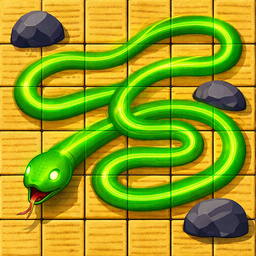
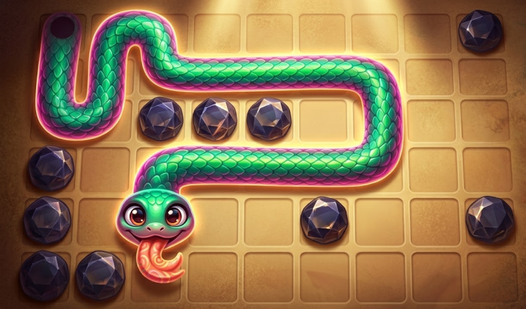
Tap the golden cell to kick things off. Drag your finger across the sand to snake your way through the grid. You need to touch every single cell once. If you mess up, hit the restart button. Stone Garden controls are simple, but you will find the touch sensitivity can feel a bit twitchy on smaller screens.
How to play Stone Garden without failing
Look at the rock placements before you draw your first line. Blocking yourself in is the most common mistake players make. You should plan your route backward from the end if you get stuck. Learning how to play Stone Garden requires thinking two or three moves ahead, especially once the grids hit 9x9.
Who Should Play Stone Garden?
Frequently Asked Questions about Stone Garden
Can I play Stone Garden on my phone?
Yes, it works on mobile browsers without any issues. The touch interface is responsive, though you might occasionally miss a cell if your fingers are too large for the smaller grid sizes.
How many levels does Stone Garden have?
There are 100 levels available. You start on tiny grids that take seconds, but the later stages require serious focus to clear every single sand cell without crossing your own path.
Is Stone Garden free to play?
Yes, Stone Garden is completely free to play on Nub Games. There are no in-app purchases. No download or registration required.
Can I play Stone Garden on mobile?
Stone Garden works on both desktop and mobile devices. Best played in portrait mode.
What age rating is Stone Garden?
Stone Garden has a content rating of 0++. It is suitable for all ages.