











Key Features
- Grid Logic: Each number forces you to cross-reference rows against columns. You cannot just guess your way through.
- Visual Reveal: Your logic creates a colorful image. It feels like a reward for your brain.
- Minimal UI: The screen stays clean. Nothing distracts you from the math.
- Touch Friendly: Tapping works for mobile users. It is a free way to kill time.
How to Play
Snap Nonograms: The basics
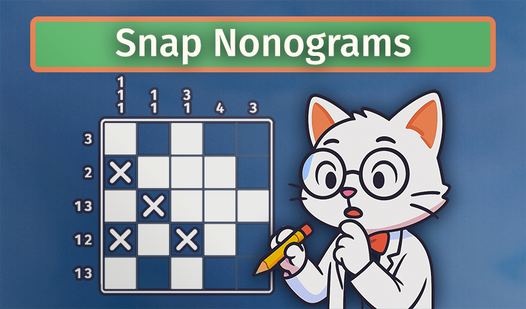
Tap a square to mark it as a target or use a double-tap/right-click to mark it empty. The numbers on the edges tell you exactly how many target cells exist in that row or column. If you see a '5', fill the whole line. Snap Nonograms controls feel snappy, though mis-clicking happens often.
How to play Snap Nonograms with logic
Look for the biggest numbers first to clear out the easy spots. Always leave at least one empty cell between different groups of target cells. A common mistake is guessing early, which ruins the whole puzzle. Learning how to play Snap Nonograms means tracking your progress carefully since one wrong move ruins the final image.
Who Should Play Snap Nonograms?
Frequently Asked Questions about Snap Nonograms
Can I play Snap Nonograms on my phone?
Yes, it works on mobile browsers without any extra steps. Just use the touch controls to tap or double-tap your way through the grids.
What are the rules for filling cells in Snap Nonograms?
You must fill cells based on row and column numbers while ensuring at least one empty cell separates different groups. Precision matters because the grid does not forgive sloppy errors.
Is Snap Nonograms free to play?
Yes, Snap Nonograms is completely free to play on Nub Games. Optional in-app purchases are available. No download or registration required.
Can I play Snap Nonograms on mobile?
Snap Nonograms works on both desktop and mobile devices. Best played in portrait mode.
What age rating is Snap Nonograms?
The catalog age rating for Snap Nonograms is 0+.