











Key Features
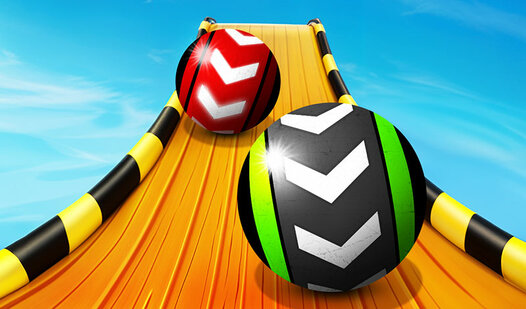
- Dual player chaos: Split the keyboard with a friend. Your spheres will collide and bump each other off the track, which is hilarious.
- Shiny ball skins: Grind for coins to swap your boring default sphere for something that actually looks cool while it burns.
- Drifting physics: The balls feel a bit slippery at first. You have to account for that momentum before you hit the corners.
- Skybox shifts: Unlock new themes that change the background. It helps with the agility required to stay focused during long sessions.
How to Play
Mastering Sky Balls 3D controls
Learning how to play Sky Balls 3D starts with your fingers. Use WASD or the arrow keys to nudge your sphere. Keep your speed steady. If you go too fast on the narrow turns, you will fly straight off the edge into oblivion.
Sky Balls 3D: Avoiding the drop
Watch the platform gaps carefully. Most players mess up by holding the forward key too long when they should be braking. It is a common mistake that costs you every coin you gathered. Take your time, focus on the geometry, and you might actually survive the later, chaotic levels.
Who Should Play Sky Balls 3D?
Frequently Asked Questions about Sky Balls 3D
Does Sky Balls 3D have multiplayer?
Yes, you can challenge a friend right on your desktop. Player one uses WASD while player two handles the arrow keys to battle it out on the same track.
How many levels does Sky Balls 3D have?
There are hundreds of levels to clear. You will be busy for a while, assuming you can keep your ball from falling into the void every thirty seconds.
Is Sky Balls 3D free to play?
Yes, Sky Balls 3D is completely free to play on Nub Games. There are no in-app purchases. No download or registration required.
Can I play Sky Balls 3D on mobile?
Sky Balls 3D is currently available on desktop only. Best played in landscape mode.
What age rating is Sky Balls 3D?
The catalog age rating for Sky Balls 3D is 6+.