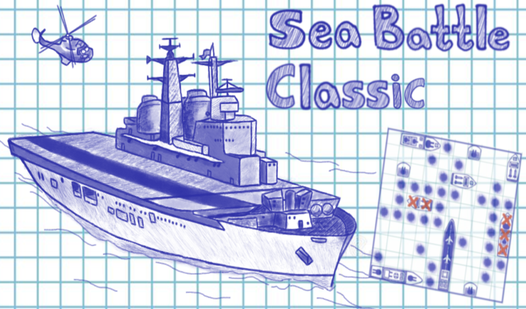












Key Features
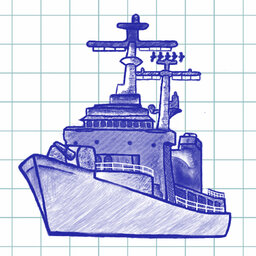
- Paper aesthetic: The grid looks like a real notebook page. It brings back memories of doodling in class while ignoring the teacher.
- Smart AI: The computer reacts to your hits with unnerving accuracy. It will eventually track down your ships if you play too predictably.
- Grid layout: Ships have specific sizes from one to five decks. You have to account for these shapes when you play defensively.
- No clutter: The interface is clean and simple. You won't find any annoying distractions here—just your ships against the machine.
How to Play
Setting up your Sea Battle Classic fleet
Drag and drop your ships to secure spots on the grid using standard Sea Battle Classic controls. Be tactical about your placement. Don't clump your big ships together or you will lose your entire fleet in two turns.
How to play Sea Battle Classic matches
Click on the enemy grid to fire your shots. If you hit, keep clicking until you miss. A red cross means you nailed a target, but the AI is often smarter than you expect. Learn how to play Sea Battle Classic by testing your luck against the easy difficulty first.
Who Should Play Sea Battle Classic?
Frequently Asked Questions about Sea Battle Classic
Can I play Sea Battle Classic on my phone?
Yes, you can pull up the game on your mobile browser. The interface adjusts to your touch screen so you can tap your way to a victory.
How many ships are in Sea Battle Classic?
You get a total of 10 ships to place. They range from massive five-deck carriers to tiny single-deck boats that are absolute nightmares to track down.
Is Sea Battle Classic free to play?
Yes, Sea Battle Classic is completely free to play on Nub Games. Optional in-app purchases are available. No download or registration required.
Can I play Sea Battle Classic on mobile?
Sea Battle Classic works on both desktop and mobile devices. Best played in landscape mode.
What age rating is Sea Battle Classic?
The catalog age rating for Sea Battle Classic is 6+.