

Key Features
- Tactical board highlights: The game paints movement paths directly onto the tiles. You won't waste time guessing which unit can reach that pesky enemy archer.
- Local PVP duels: Pass your device back and forth with a friend. It turns the living room into a battlefield where trash talk is mandatory.
- Adjustable grid colors: Tweak the board palette in the settings menu. If the default contrast hurts your eyes, just swap to something more subtle.
- Brutal AI logic: The computer doesn't pull punches. It will punish your sloppy openings immediately, making every mistake feel costly.
How to Play
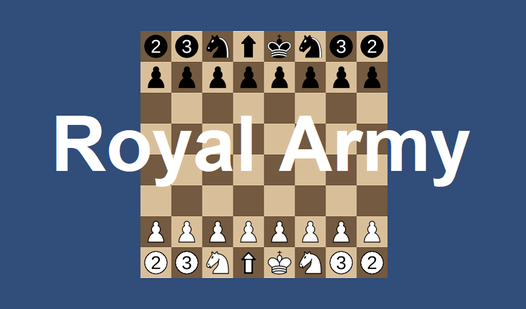
Royal Army: How to move
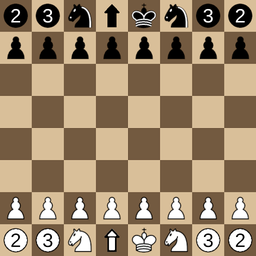
Click any unit to see where it can go. Royal Army controls are simple mouse clicks, but don't get reckless. Archers have range, while infantry are just bodies to throw at the enemy. If you don't watch your back rank, you'll lose your king before you even reach the middle of the board.
Mastering Royal Army tactics
Learning how to play Royal Army means knowing when to sacrifice a knight to save your catapult. Common mistake: moving your king too early into the open. Keep your defensive line tight and wait for the AI to overextend. The AI gets aggressive fast, so keep your eyes peeled for traps.
Who Should Play Royal Army?
Frequently Asked Questions about Royal Army
Can I play Royal Army on my phone?
Yes, it runs on mobile browsers without any extra steps. Just open the page, wait for it to load, and start your march.
How do you capture enemy pieces in Royal Army?
Select your unit and look for the highlighted enemy pieces. If a tile glows, you can land there to knock them off the board.
Is Royal Army free to play?
Yes, Royal Army is completely free to play on Nub Games. There are no in-app purchases. No download or registration required.
Can I play Royal Army on mobile?
Royal Army works on both desktop and mobile devices. Best played in landscape mode.
What age rating is Royal Army?
Royal Army has a content rating of 6++. It is suitable for all ages.