Key Features
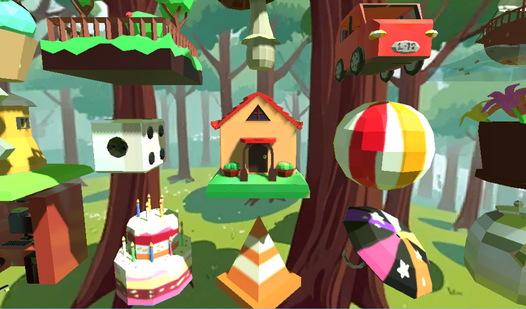
- Depth perception: Every piece has a distinct height and width. You have to rotate the camera constantly to find the right angle.
- Visual complexity: The structures grow from simple houses to intricate machines. Each level adds more pieces to juggle.
- Clean aesthetic: The blocky style keeps the screen readable. It prevents visual clutter.
- Spatial logic: You are training your brain to think in three dimensions. It is a workout for your focus.
How to Play
Mastering Puzzles 3D movement
Use WASD or your mouse to drag pieces into the workspace. You need to rotate them to see if they fit the structure's depth. Puzzles 3D controls are sensitive, so take it slow. Most people mess up by rushing the first few clicks and misaligning the base completely.
How to play Puzzles 3D effectively
Focus on the edges first to establish the frame. Once the outer boundary is set, filling the interior becomes much faster. Learning how to play Puzzles 3D is all about spotting the negative space. Do not ignore the hidden sides, or you will be stuck staring at a floating cube.
Who Should Play Puzzles 3D?
Frequently Asked Questions about Puzzles 3D
Can I play Puzzles 3D on my phone?
Yes, it works on mobile browsers just as well as on a desktop. You can tap and drag the pieces using your touchscreen without any loss in functionality.
How do you rotate pieces in Puzzles 3D?
Select a piece and use the designated rotate buttons on the screen or your mouse scroll wheel. It takes a second to get the orientation right for complex objects.
Is Puzzles 3D free to play?
Yes, Puzzles 3D is completely free to play on Nub Games. There are no in-app purchases. No download or registration required.
Can I play Puzzles 3D on mobile?
Puzzles 3D works on both desktop and mobile devices. Best played in landscape mode.
What age rating is Puzzles 3D?
Puzzles 3D has a content rating of 6++. It is suitable for all ages.