







Key Features
- Three Difficulty Tiers: Start with the classic layout to get your rhythm. Once you hit the advanced mode, the shapes become an absolute nightmare.
- Time Pressure Mechanics: The clock forces you to think fast. Every clear adds precious seconds, but hesitating will end your run instantly.
- Grid Logic Challenges: You must account for the specific geometry of every piece. One bad drop ruins your potential for future combos.
- Compact Browser Play: The interface is clean and snappy. It runs well on both desktop and mobile without any annoying lag.
How to Play
Puzzle Block: The Basics
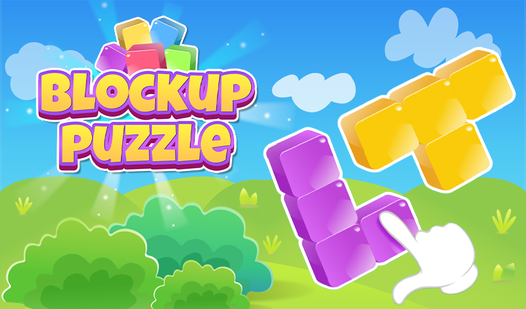
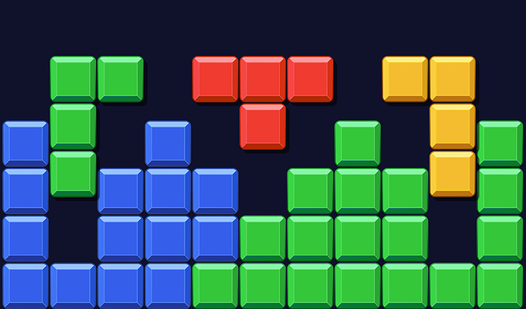
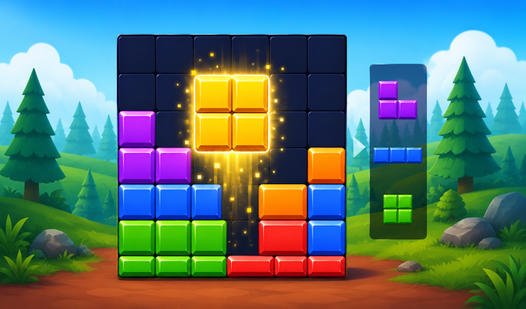
Your goal is simple. Drag shapes into the empty grid to clear lines and score points. Use your mouse or tap the screen for these Puzzle Block controls. Just watch out for the edges. You will mess up spectacularly if you do not plan ahead for the larger blocks.
How to play Puzzle Block efficiently
Clear cells to earn space for the next round. If you fill the grid without clearing anything, you lose. Most players fail because they hoard blocks in the center. Keep your edges clear to avoid a total board lock. This is the only way to master the higher difficulty modes.
Who Should Play Puzzle Block?
Frequently Asked Questions about Puzzle Block
Can I play Puzzle Block on my phone?
Yes, it works on mobile devices. You just open the browser and start placing blocks without needing to install anything extra.
How do you clear the board in Puzzle Block?
Fill an entire row or column with blocks to clear them. If you cannot place a piece, you are likely blocking yourself by leaving gaps.
Is Puzzle Block free to play?
Yes, Puzzle Block is completely free to play on Nub Games. Optional in-app purchases are available. No download or registration required.
Can I play Puzzle Block on mobile?
Puzzle Block works on both desktop and mobile devices. Best played in portrait mode.
What age rating is Puzzle Block?
The catalog age rating for Puzzle Block is 0+.