











Key Features
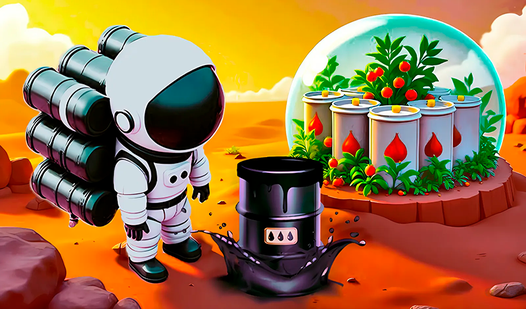
- Automated Resource Mining: Just walk over energy clusters to collect them. It keeps your hands free for base planning.
- Base Evolution: Watch your tiny shack become a sprawling industrial hub. Every module you drop adds to the colony's output.
- Minimalist Visuals: The clean aesthetic keeps the screen from feeling cluttered during long sessions. It makes tracking your progress simple.
- Rocket Launch Mechanics: Completing a planet lets you move on to tougher challenges. The jump between worlds keeps the scope from feeling stale.
How to Play
Mastering Planet Explorer: Simulator basics
Your first move is gathering energy clusters to fund your expansion. Use your mouse or WASD keys for Planet Explorer: Simulator controls to navigate the terrain. Just don't get greedy and ignore the construction sites nearby. You need to drop those resources off to actually see your base grow into something useful.
Planet Explorer: Simulator: The expansion grind
Once you know how to play Planet Explorer: Simulator, you’ll realize the pace picks up fast. Focus on upgrading your extraction speed before you try to build everything at once. A common mistake is wandering too far for resources and forgetting to refuel your base. Stay close until you have enough power to scale.
Planet Explorer: Simulator: Launching for glory
After you finish the colony, it’s time to blast off to a fresh planet. You get a clean slate, but the resource requirements for new tech get steeper. Don't expect the later planets to be as forgiving as the first one. It’s a loop, but seeing those factories hum is worth the effort.
Who Should Play Planet Explorer: Simulator?
Frequently Asked Questions about Planet Explorer: Simulator
Can I play Planet Explorer: Simulator on my phone?
Yes, you can tap to move and swipe to rotate the camera on mobile devices. It works fine for quick sessions while you're on the move.
How do you progress to the next world in Planet Explorer: Simulator?
You need to finish building the mandatory base modules and power up your rocket. Once your ship is ready, just hit the launch button to start over on a new planet.
Is Planet Explorer: Simulator free to play?
Yes, Planet Explorer: Simulator is completely free to play on Nub Games. Optional in-app purchases are available. No download or registration required.
Can I play Planet Explorer: Simulator on mobile?
Planet Explorer: Simulator works on both desktop and mobile devices. Best played in none mode.
What age rating is Planet Explorer: Simulator?
The catalog age rating for Planet Explorer: Simulator is 6+.