Key Features
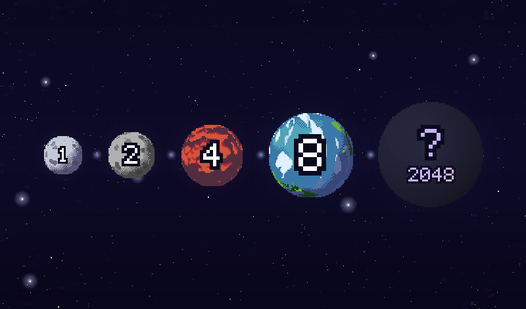
- Cosmic Art: Each planet features distinct pixel animations. Watching them bob around the screen makes the chaotic physics feel oddly peaceful.
- System Catalog: The game tracks every planet you discover. You actually learn real facts about the solar system while you play.
- Emergency Bomb: This power-up saves you from a game over. Use it when the board gets too crowded to move.
- Auto Saves: Your high score stays locked in. You never have to worry about losing your progress after closing the tab.
How to Play
Pixel Planets 2048: Mastering the drop
To learn how to play Pixel Planets 2048, use your mouse or tap to position the planet above the bowl. Click to release it. The physics are bouncy, so expect things to roll around unpredictably. Most players fail because they crowd the center too early. Build your stacks along the edges first.
Managing your Pixel Planets 2048 board
Check the Pixel Planets 2048 controls at the edges of your screen to trigger your bomb. Use it only when you accidentally box yourself in with a tiny planet surrounded by giants. It clears space, but your score takes a hit. Don't waste it on a minor mistake you can fix later.
Who Should Play Pixel Planets 2048?
Frequently Asked Questions about Pixel Planets 2048
Can I play Pixel Planets 2048 on my phone?
Yes, it works perfectly on mobile browsers. Just tap and drag to position your planets exactly where you want them to land.
How do you use the bomb in Pixel Planets 2048?
Tap the bomb icon on your screen once you have it unlocked. It instantly deletes the planet you select, giving you a second chance at a high score.
Is Pixel Planets 2048 free to play?
Yes, Pixel Planets 2048 is completely free to play on Nub Games. There are no in-app purchases. No download or registration required.
Can I play Pixel Planets 2048 on mobile?
Pixel Planets 2048 works on both desktop and mobile devices. Best played in portrait mode.
What age rating is Pixel Planets 2048?
Pixel Planets 2048 has a content rating of 0++. It is suitable for all ages.