
Key Features
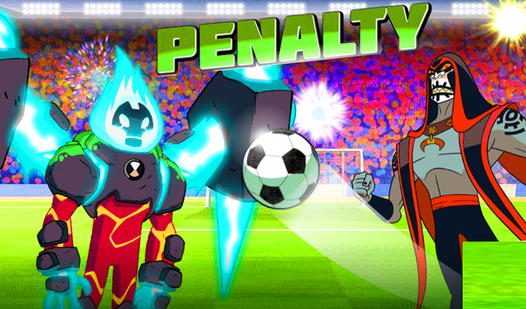
- Predictable physics: The ball follows your swipe arc with accuracy. You can curve shots around the keeper if you have the right touch.
- Adaptive AI: The goalie learns from your habits. He starts cheating toward your favorite corner if you keep aiming at the same spot.
- High-stakes tension: Every shot counts toward your total score. Missing feels bad.
- Clean visuals: The 3D stadium looks crisp. It keeps the focus entirely on the ball and the net.
How to Play
Penalty: Master the flick
To learn how to play Penalty, you need to understand the swipe mechanic. Use your mouse to aim at the corners of the net. Swipe quickly to generate power. If you go too fast, you might launch the ball into the stands instead of the goal. Timing is the difference between glory and a miss.
Penalty controls: Watch the keeper
Your Penalty controls are simple, but the keeper gets smarter as you progress. He starts diving for the obvious spots after a few successful goals. Don't fall for his bait. Mix up your aim points to keep him guessing. He is a total nightmare to beat once you hit the higher rounds.
Who Should Play Penalty?
Frequently Asked Questions about Penalty
How do you curve the ball in Penalty?
You curve the ball by dragging your mouse in a slight arc during your swipe. It takes practice to avoid hitting the post, but it is the best way to beat a tough goalkeeper.
Can I play Penalty on my phone?
This version is built for desktop play with a mouse. It might feel a bit janky if you try to use a touchscreen because the swipe detection is calibrated for cursor movement.
Is Penalty free to play?
Yes, Penalty is completely free to play on Nub Games. There are no in-app purchases. No download or registration required.
Can I play Penalty on mobile?
Penalty is currently available on desktop only. Best played in landscape mode.
What age rating is Penalty?
The catalog age rating for Penalty is 6+.