








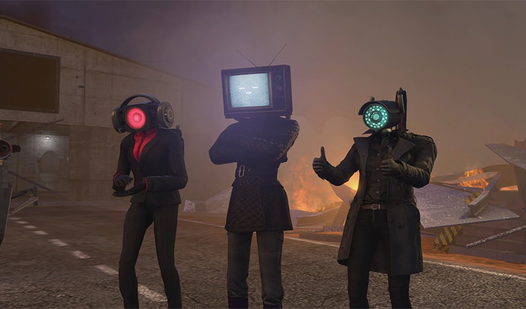
Key Features
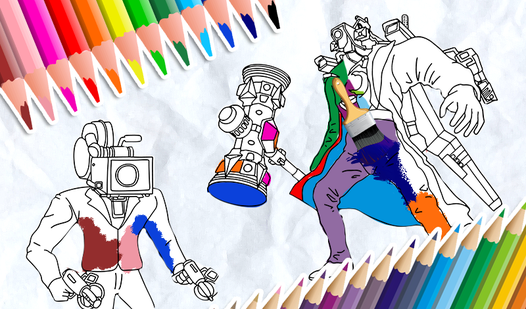
- Variable brush sizing: Switch between bold fills and thin lines. The thicker strokes cover huge areas instantly, while thin lines save you from messy mistakes.
- Zoom and pan: The magnifying glass lets you inspect every single pixel. You will need this for the complex parts.
- Instant fill tool: Click once to flood an entire section with color. It makes the boring parts go much faster.
- Rich color palette: Pick from a range of bright shades. They look vibrant on any screen.
How to Play
Paint the Cameraman: Master the interface
Getting started is simple. Use your mouse or touchscreen to select a color, then tap the area you want to fill. Paint the Cameraman controls rely on precision, so take it slow. Learning how to play Paint the Cameraman takes about ten seconds, but don't rush these initial steps.
Paint the Cameraman: Zooming for details
Use the magnifying glass tool to get into the tight corners. If you slip, the eraser is your best friend. A common mistake is trying to color tiny spots with a thick brush setting. Crank that size down to get a clean finish without any messy spills over the lines.
Who Should Play Paint the Cameraman?
Frequently Asked Questions about Paint the Cameraman
Can I play Paint the Cameraman on my phone?
Yes, it runs perfectly on mobile browsers. You can use your finger as a brush just as easily as a desktop mouse.
How do you fix mistakes in Paint the Cameraman?
Just grab the eraser tool from the menu. It wipes away any stray marks instantly, though it can feel a bit clunky compared to the fill bucket.
Is Paint the Cameraman free to play?
Yes, Paint the Cameraman is completely free to play on Nub Games. There are no in-app purchases. No download or registration required.
Can I play Paint the Cameraman on mobile?
Paint the Cameraman works on both desktop and mobile devices. Best played in landscape mode.
What age rating is Paint the Cameraman?
The catalog age rating for Paint the Cameraman is 6+.