







Key Features
- Unforgiving terrain: The mountains are full of jagged gaps and steep drops. One bad hop and you are tumbling back to the start.
- Vehicle upgrades: Switching your ride matters. A heavier chassis stops you from flying off the track when you hit a bump.
- Coin hunting: Coins are tucked away in the most annoying spots. You have to risk a crash just to grab them.
- Physics jank: Sometimes the wheels catch on invisible edges. It happens, just reset and try the climb again.
How to Play
Mastering Over the hills controls
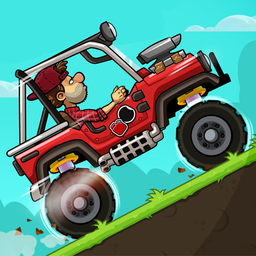
Use the A and D keys on your PC or the onscreen buttons for mobile to balance your ride. It is simple, but don't get cocky. Learning how to play Over the hills requires feeling out the weight of your vehicle before you hit a vertical incline.
Why Over the hills gets brutal
Collect as many coins as you can. You need them to unlock better cars that can actually handle the later, jagged cliffs. A common mistake is slamming the throttle when you hit a bump, which just flips you backward. The physics feel floaty at first, so keep your finger steady.
Who Should Play Over the hills?
Frequently Asked Questions about Over the hills
Can I play Over the hills on my phone?
Yes, it works great on mobile devices. Just use the onscreen buttons to manage your gas and brake while you navigate those nasty mountain paths.
What are the controls for Over the hills?
On PC, you use A and D to tilt and drive. If you are on a phone, just tap the buttons on your screen to keep the car upright.
Is Over the hills free to play?
Yes, Over the hills is completely free to play on Nub Games. Optional in-app purchases are available. No download or registration required.
Can I play Over the hills on mobile?
Over the hills works on both desktop and mobile devices. Best played in landscape mode.
What age rating is Over the hills?
The catalog age rating for Over the hills is 12+.