











Key Features
- **Tight Maze Logic**: The arrow placement forces you to plan three moves ahead. One wrong tap locks your only exit.
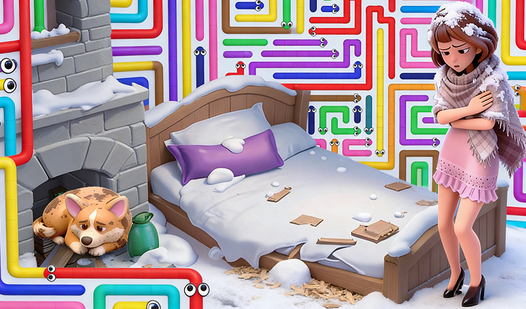
- **Home Renovation Loop**: Stars you earn actually change the background. Watching the house go from a wreck to something decent feels pretty good.
- **Brain-Melting Puzzles**: The geometry shifts in later stages. It stops being a relaxing maze and turns into a real struggle.
- **Instant Restart**: When you mess up, you reset in a heartbeat.
How to Play
How to play Arrows: Help the Family
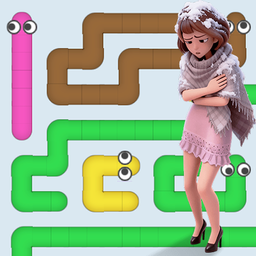
Tap the arrows pointing toward the edge of the screen to clear them. If the path is blocked by another arrow, you cannot move it. Using the Arrows: Help the Family controls is simple enough, as you just tap to shoot them off the board. Do not rush, or you will get stuck.
Why renovate in Arrows: Help the Family?
Clearing levels earns you stars for the home renovation project. It is the only way to fix that dump. The later levels are kind of unfair, as the maze gets cramped quickly. You need every star you can get to finish the house, so keep your wits sharp.
Who Should Play Arrows: Help the Family?
Frequently Asked Questions about Arrows: Help the Family
How do you clear blocked arrows in Arrows: Help the Family?
You have to clear the arrows blocking the path first. You cannot move any arrow that has another piece pointing directly at its back or side.
Can I play Arrows: Help the Family on my phone?
Yes, it runs on mobile browsers without any issues. It works just as well on a touchscreen as it does with a mouse on your desktop.
Is Arrows: Help the Family free to play?
Yes, Arrows: Help the Family is completely free to play on Nub Games. There are no in-app purchases. No download or registration required.
Can I play Arrows: Help the Family on mobile?
Arrows: Help the Family works on both desktop and mobile devices. Best played in portrait mode.
What age rating is Arrows: Help the Family?
The catalog age rating for Arrows: Help the Family is 6+.