











Key Features
- Insane Customization: Swap out your bike, goggles, and wings. You can even change facial expressions to match your frustration after a bad wipeout.
- Split-Screen Chaos: Race your friend on the same screen. It gets messy fast.
- Challenge Clock: Race against the timer. It forces you to take risks.
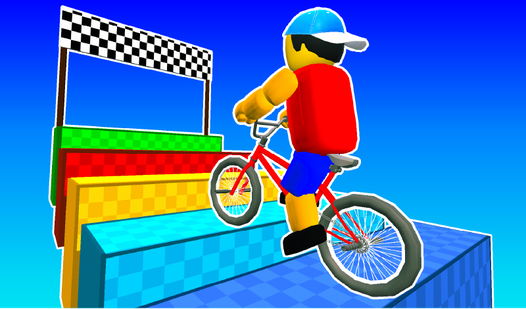
- Physics Jumps: The bike's weight matters. Use that to clear big obstacles.
How to Play
Obby Bike Rider: Mastering the Momentum
Use WASD or arrow keys to lean into your jumps. You need to hit the ramps at top speed to clear the gaps. If you're struggling, tap L-SHIFT to sprint. Don't worry about the physics feeling a bit floaty at first. Once you learn the Obby Bike Rider controls, those mid-air adjustments become muscle memory.
How to play Obby Bike Rider with friends
Select the 2 Player mode from the main menu to share your keyboard. One person uses WASD while the other takes the arrow keys. A common mistake is trying to rush the corners; slow down before the trickiest jumps. You will find that later levels require perfect timing to avoid crashing.
Who Should Play Obby Bike Rider?
Frequently Asked Questions about Obby Bike Rider
How do you respawn faster in Obby Bike Rider?
You don't need a special button because the game resets your position almost instantly after you fall. Just keep your hands on the movement keys to get back into the action.
Can I play Obby Bike Rider on my phone?
Yes, it runs on mobile browsers just fine. The touch controls are mapped to the screen, though you might find the screen space a bit cramped for complex jumps.
Is Obby Bike Rider free to play?
Yes, Obby Bike Rider is completely free to play on Nub Games. There are no in-app purchases. No download or registration required.
Can I play Obby Bike Rider on mobile?
Obby Bike Rider works on both desktop and mobile devices. Best played in landscape mode.
What age rating is Obby Bike Rider?
The catalog age rating for Obby Bike Rider is 6+.