




Key Features
- Violent Arsenal: Switch between pistols and miniguns. The kickback on the heavy weapons makes aiming tricky when you are surrounded.
- Sticky Platforming: The movement feels a bit floaty. You will definitely mess up a few jumps before you get the timing down.
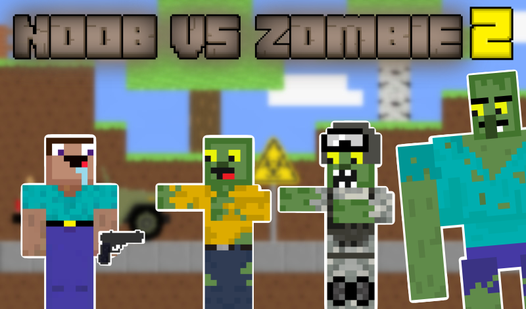
- Zombie Types: Military units tank your shots. You have to parkour around them to find their weak spots.
- Car Combat: Crushing enemies in a vehicle changes the pace. It is much faster than running.
How to Play
Mastering Noob vs zombie 2 movement
Use WASD or tap the screen to navigate the Noob vs zombie 2 controls. You need to keep moving constantly. Staying still is a death sentence since the zombies swarm you fast. Learn to jump over obstacles early, or you will get trapped in a corner and lose your health quickly.
Upgrading in Noob vs zombie 2
Collecting gold bars is how to play Noob vs zombie 2 effectively. Spend that cash on better guns or armor immediately. A common mistake is saving up for the biggest minigun while your basic pistol leaves you defenseless against tougher military zombies. Spend early to survive longer, then hunt for the diamonds.
Who Should Play Noob vs zombie 2?
Frequently Asked Questions about Noob vs zombie 2
Can I play Noob vs zombie 2 on my phone?
Yes, it works perfectly on mobile devices. Just tap the buttons on your screen to shoot and jump, though the interface can feel a bit crowded on smaller screens.
How do you get better armor in Noob vs zombie 2?
You need to collect gold bars and diamonds scattered throughout the levels. Head to the shop menu between missions to trade those resources for higher-tier gear.
Is Noob vs zombie 2 free to play?
Yes, Noob vs zombie 2 is completely free to play on Nub Games. There are no in-app purchases. No download or registration required.
Can I play Noob vs zombie 2 on mobile?
Noob vs zombie 2 works on both desktop and mobile devices. Best played in landscape mode.
What age rating is Noob vs zombie 2?
The catalog age rating for Noob vs zombie 2 is 6+.