










Key Features
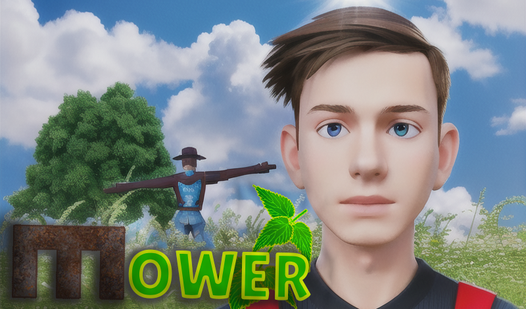
- Dense botanical hazards: Thickets of nettles and hogweed block your vision constantly. You have to clear them to see what lies ahead.
- Scrap economy: Every plant you chop drops caps. These let you upgrade your gear, making the later, thicker walls less of a headache.
- Persistent exploration: The map expands as you venture deeper. It creates a genuine sense of being lost in a giant survival nightmare.
- Weapon upgrades: Your basic stick starts feeling weak fast. Buying better tools turns those annoying reeds into mulch in seconds.
How to Play
Mastering Mower controls
Use WASD to move and Shift to sprint through the thickets. You need to spam LMB to swing your stick, but watch your stamina. Learning how to play Mower means understanding that you cannot just run blindly. You will get trapped in the tall grass if you aren't careful.
The Mower navigation trick
Drop spools of yarn to mark your path or you will be walking in circles forever. This is a common mistake players make early on. Once you grab the rope, hit M to check your map. The navigation gets messy, so keep your eyes peeled for those yarn markers.
Who Should Play Mower?
Frequently Asked Questions about Mower
How do you upgrade your stick in Mower?
Collect the plants you chop down and trade them for caps at the shop. You use these caps to buy better gear that makes clearing the field much faster.
Can I play Mower on my phone?
Yes, it runs on mobile browsers just fine. Touch controls are mapped to the screen, so you can hack away at the weeds while you are on the move.
Is Mower free to play?
Yes, Mower is completely free to play on Nub Games. Optional in-app purchases are available. No download or registration required.
Can I play Mower on mobile?
Mower works on both desktop and mobile devices. Best played in landscape mode.
What age rating is Mower?
The catalog age rating for Mower is 6+.