










Key Features
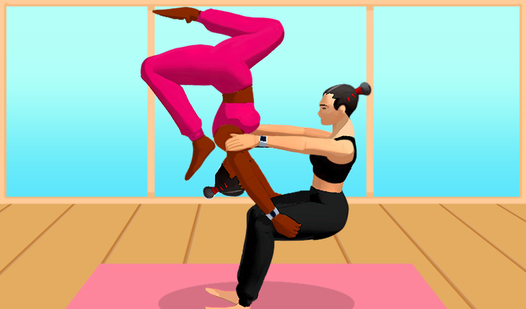
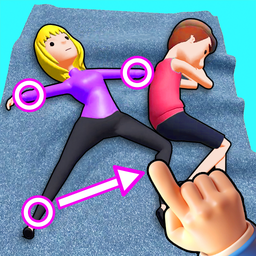
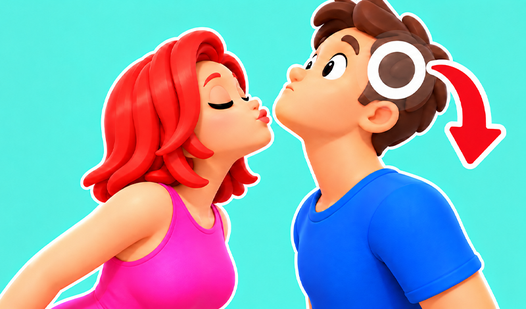
- Puppet Control: Drag circles to manipulate individual limbs. This direct interaction lets you shape the character to match the required pose.
- Visual Feedback: Circles turn green when placed correctly. This visual cue tells you exactly when you have aligned a body part.
- 3d Environment: The game uses a 3d space for your characters. It adds depth to the poses you must recreate.
How to Play
How to play Move your body!: The Basics
To learn how to play Move your body!, click and drag the circles corresponding to specific limbs. You must guide them toward the target pose shown on screen. If you move a limb in the correct direction, the circle turns green. Getting every part green completes the challenge.
Move your body!: Refining Poses
Practice is essential because the poses grow more complicated as you progress. Focus on one limb at a time to ensure you do not mess up the positioning. If you struggle, observe the target silhouette carefully. Slow, deliberate movements help you nail the landing on trickier, advanced poses.
Who Should Play Move your body!?
Frequently Asked Questions about Move your body!
Can I play Move your body! on my phone?
Yes, Move your body! is fully supported on mobile devices. You can use your touchscreen to drag the circles and manipulate the characters just as you would on a desktop.
What are the controls for Move your body!?
The Move your body! controls involve grabbing circles that represent various limbs and body parts. You drag these circles to the correct positions to successfully complete the pose.
Is Move your body! free to play?
Yes, Move your body! is completely free to play on Nub Games. Optional in-app purchases are available. No download or registration required.
Can I play Move your body! on mobile?
Move your body! works on both desktop and mobile devices. Best played in portrait mode.
What age rating is Move your body!?
The catalog age rating for Move your body! is 12+.