Key Features
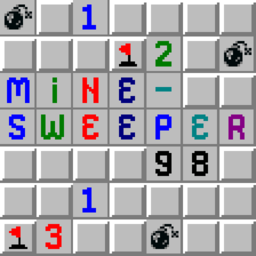
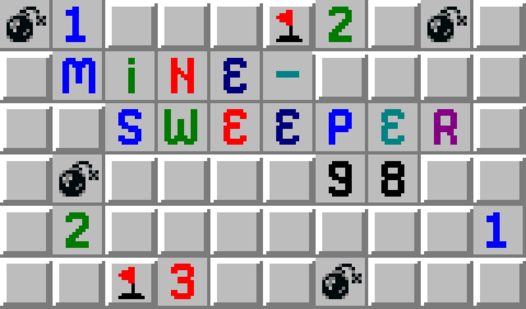
- Retro Aesthetic: The Windows 98 look brings back memories. It feels authentic, though the UI can occasionally feel unresponsive on high-res displays.
- Daily Bonuses: Log in every day to spin the wheel. You get hints that save your run when the grid gets too crowded.
- Battle Pass: Level up your account by opening boxes. Every point earned adds up to better rewards and extra lives.
- Dynamic Difficulty: The mine density scales up fast. You will find yourself sweating once you hit the Expert board settings.
How to Play
Minesweeper 98: Mastering the Grid
To learn how to play Minesweeper 98, start by clicking any box to reveal numbers. Each number shows how many mines touch that square. Use your mouse or touchscreen for Minesweeper 98 controls. If you see a one, the mine is right there. Flag it immediately before you forget.
Minesweeper 98: Avoiding the Boom
A common mistake is guessing too early. Stick to the logic until you have no other choice. If you get stuck, use your extra life to survive a bad click. Higher difficulty settings add density to the board, making the end game a nightmare. Stay calm and watch those corners.
Who Should Play Minesweeper 98?
Frequently Asked Questions about Minesweeper 98
Can I play Minesweeper 98 on my phone?
Yes, it runs perfectly on mobile browsers. Just tap the tiles instead of clicking, and the game adapts to your screen size automatically.
How do you use the extra life in Minesweeper 98?
The extra life triggers automatically if you hit a mine. It absorbs the blast, letting you keep your current board state instead of starting over.
Is Minesweeper 98 free to play?
Yes, Minesweeper 98 is completely free to play on Nub Games. There are no in-app purchases. No download or registration required.
Can I play Minesweeper 98 on mobile?
Minesweeper 98 works on both desktop and mobile devices. Best played in landscape mode.
What age rating is Minesweeper 98?
Minesweeper 98 has a content rating of 6++. It is suitable for all ages.