







Key Features
- Escalating grid pressure: The board stays small while your icons grow massive. You have to plan three moves ahead or you'll get stuck.
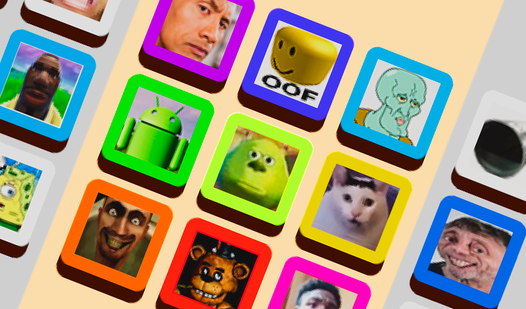
- Visual progression: Each successful connection replaces a generic face with a weirder, larger one. It’s satisfying to watch the screen transform.
- Competitive leaderboard: The global ranking keeps track of your best runs. You can see exactly how far behind the top players you are.
- Responsive inputs: The movement feels tight, though it can get slightly twitchy when the board is crowded.
How to Play
Mastering Merge Emoji 2048 controls
To learn how to play Merge Emoji 2048, simply tap or click to guide your falling icons. Using the mouse or your finger, drag left or right to align your drop. Don’t rush the placement. A common mistake is dropping emojis too quickly without checking the current stack height.
Scaling up in Merge Emoji 2048
Once two identical faces touch, they pop into a larger version. Merge Emoji 2048 punishes you for sloppy organization, so keep your biggest icons in the corners. The screen fills up faster than you think. If you let the pile touch the top line, your run ends immediately.
Who Should Play Merge Emoji 2048?
Frequently Asked Questions about Merge Emoji 2048
Can I play Merge Emoji 2048 on my phone?
Yes, it works perfectly on mobile devices. You just touch the screen to position your drops, making it a great option for playing on the go.
What are the controls for Merge Emoji 2048?
You use your mouse or finger to slide emojis left or right. Once your position is set, release the button or your touch to let it fall into place.
Is Merge Emoji 2048 free to play?
Yes, Merge Emoji 2048 is completely free to play on Nub Games. There are no in-app purchases. No download or registration required.
Can I play Merge Emoji 2048 on mobile?
Merge Emoji 2048 works on both desktop and mobile devices. Best played in portrait mode.
What age rating is Merge Emoji 2048?
The catalog age rating for Merge Emoji 2048 is 6+.