











Key Features
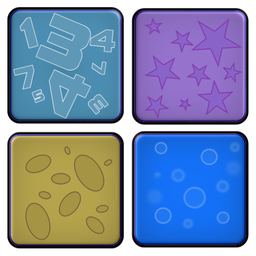
- Visual Memory Focus: The card sets force you to track specific shapes. You start losing track once the board gets crowded.
- Clean UI Design: Everything stays out of your way. You get zero distractions while hunting for those matching pairs.
- Rapid Card Resets: Animations are snappy. You never have to wait long between rounds.
- Increasing Complexity: Later stages pack the grid tight. You will definitely hit a wall once the fairy tale icons start looking identical.
How to Play
MEMO: The basics
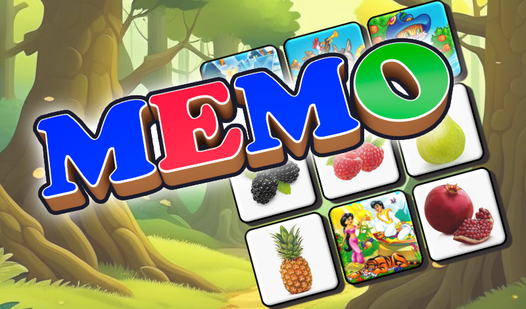
Tap any two cards to reveal the icons. MEMO controls are simple enough for anyone to grasp instantly. You need to remember the position of each image. If you find a pair, they vanish. If not, they flip back over. Most players struggle because they try to rush through the deck too quickly.
How to play MEMO for high scores
The goal is to clear the board with as few mistakes as possible. You must focus on patterns rather than just clicking randomly. Once you master the early rounds, the number of cards on the screen jumps significantly. That is when you learn how to play MEMO properly without losing your mind.
Who Should Play MEMO?
Frequently Asked Questions about MEMO
Can I play MEMO on my phone?
Yes, it works perfectly on mobile browsers. You just tap the screen to flip the cards, and the touch response is snappy enough to keep up with your pace.
Is MEMO safe for kids?
It is completely safe. The content is family-friendly, and the mechanics help children practice concentration without any hidden ads or weird popups distracting them during the game.
Is MEMO free to play?
Yes, MEMO is completely free to play on Nub Games. There are no in-app purchases. No download or registration required.
Can I play MEMO on mobile?
MEMO works on both desktop and mobile devices. Best played in landscape mode.
What age rating is MEMO?
The catalog age rating for MEMO is 0+.