










Key Features
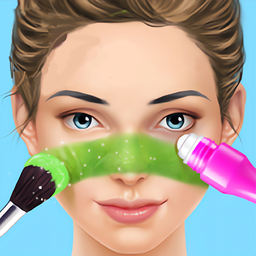
- Brush Physics: The tools have a specific weight that makes them feel real. You have to pull them slowly to get a smooth line.
- Photo Gallery: Snap a picture when you finish. It saves your best looks so you can check your progress over time.
- Closet Variety: Accessories change the entire mood of the portrait. Some items are locked behind later stages, forcing you to keep playing.
- Color Blending: Layering shades requires a bit of patience. The colors react to each other, which keeps the process from getting stale.
How to Play
Mastering Makeup Aritst tools
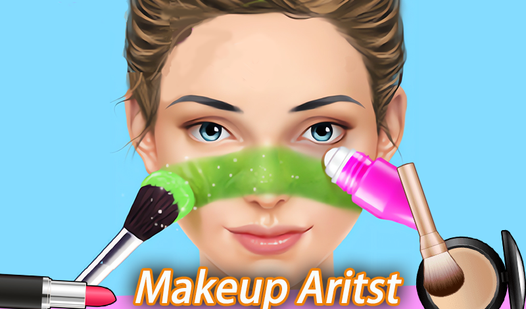
To learn how to play Makeup Aritst, just tap and drag your tools across the screen. The Makeup Aritst controls are simple, but you have to be steady. If you rush the application, the eyeliner looks like a jagged mess. Slow down and watch the indicator lines to keep everything symmetrical.
Styling in Makeup Aritst
Once the face is done, head over to the closet. Tossing on a random wig or accessory usually ruins the vibe, so pick items that match your color palette. Don’t get lazy here. A bad outfit choice makes your hard work on the eyeshadow look totally out of place.
Who Should Play Makeup Aritst?
Frequently Asked Questions about Makeup Aritst
Can I play Makeup Aritst on my phone?
Yes, it works perfectly on mobile devices. You just need a touch screen to handle the brushes and accessories without any lag.
How do you finish a look in Makeup Aritst?
After you apply all the makeup and choose your outfit, hit the camera button. This saves your final portrait and lets you start a new one.
Is Makeup Aritst free to play?
Yes, Makeup Aritst is completely free to play on Nub Games. There are no in-app purchases. No download or registration required.
Can I play Makeup Aritst on mobile?
Makeup Aritst works on both desktop and mobile devices. Best played in portrait mode.
What age rating is Makeup Aritst?
The catalog age rating for Makeup Aritst is 6+.