











Key Features
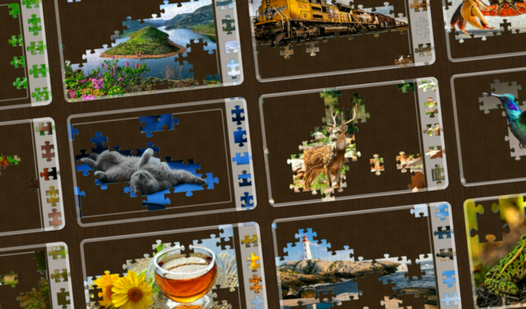
- Animated Challenges: The target image shifts constantly. You have to track moving parts instead of static shapes.
- Custom Difficulty: Split images into as many segments as your brain can handle. Push your limits.
- Visual Aids: Toggle the layout transparency to see the original art underneath. It helps when you hit a wall.
- Infinite Sets: New puzzles arrive all the time. You never run out of stuff to sort.
How to Play
Living Puzzles: Getting started
Click and drag pieces onto the workspace using your mouse or touchscreen. These are your Living Puzzles controls, and they feel a bit stiff during your first session. Don't worry, you get used to it. Just aim to align the edges before snapping them into place.
Mastering Living Puzzles mechanics
Adjust the layout transparency if you struggle to see the base image. This is how to play Living Puzzles when the background clutter gets overwhelming. A common mistake is ignoring the scale slider, which makes finding those tiny corner pieces a total nightmare. Use it to zoom in.
Who Should Play Living Puzzles?
Frequently Asked Questions about Living Puzzles
Can I play Living Puzzles on my phone?
Yes, it works fine on mobile devices. You just tap and drag the pieces with your finger, which feels surprisingly natural compared to using a mouse.
How do you adjust the difficulty in Living Puzzles?
Select the number of pieces before you start the round. Higher counts make the board crowded and increase the complexity of your search.
Is Living Puzzles free to play?
Yes, Living Puzzles is completely free to play on Nub Games. There are no in-app purchases. No download or registration required.
Can I play Living Puzzles on mobile?
Living Puzzles works on both desktop and mobile devices. Best played in landscape mode.
What age rating is Living Puzzles?
The catalog age rating for Living Puzzles is 6+.