




Key Features
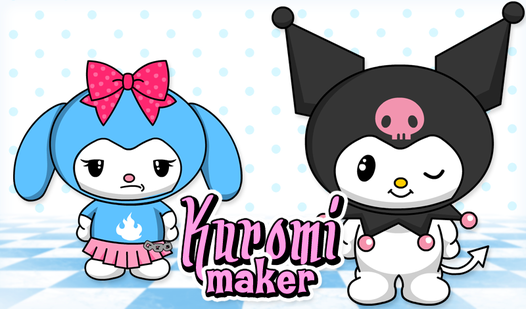
- Deep customization: Tweak every piece of the outfit to build your own version of the character. The color options shift the whole mood.
- PNG exports: Save your work to your device instantly. It’s great for sharing your designs with friends.
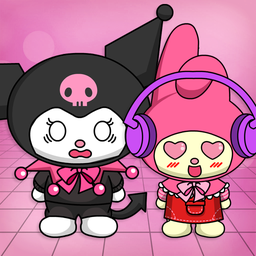
- Melody mode: Switch over to Melody whenever you need a change of pace. It adds variety to the character lineup.
- Visual flair: The art style nails that anime look perfectly. It keeps everything sharp even when you zoom in on the details.
How to Play
How to play Kuromi Maker like a pro
Start by clicking the clothing items to layer them onto your rabbit. Using simple Kuromi Maker controls, you just tap or click to drag pieces into place. Don't worry if things look messy at the start. You can swap colors and styles until the vibe feels right.
Kuromi Maker: perfecting the aesthetic
The secret is playing with the color palette to match that classic devilish look. A common mistake is ignoring the accessories; they actually add a ton of personality to the final export. Once you finish your masterpiece, save it as a PNG. Just be warned that the UI gets a bit finicky on tiny screens.
Who Should Play Kuromi Maker?
Frequently Asked Questions about Kuromi Maker
Can I play Kuromi Maker on my phone?
Yes, you can run this in your mobile browser without any issues. The touch controls mirror the desktop clicks, making it easy to build your character on the go.
How do you save your character in Kuromi Maker?
Simply hit the save button once you finish your design to download a PNG file. It captures your entire image so you can keep it as a profile picture.
Is Kuromi Maker free to play?
Yes, Kuromi Maker is completely free to play on Nub Games. There are no in-app purchases. No download or registration required.
Can I play Kuromi Maker on mobile?
Kuromi Maker works on both desktop and mobile devices. Best played in landscape mode.
What age rating is Kuromi Maker?
The catalog age rating for Kuromi Maker is 0+.