







Key Features
- Clean Visuals: The bright, flat aesthetic makes it easy to spot potential lines. You never have to squint to see if a piece fits.
- Persistent Leaderboard: Your score in Endless Mode gets recorded for the world to see. Climbing that list is the only way to prove your skill.
- Zero Clutter: The interface stays out of your way. You get nothing but the grid and your next set of shapes.
- Scaling Difficulty: The shapes become more awkward as you survive longer. You have to adapt your strategy or face a quick game over.
How to Play
King blocks!: Mastering the grid
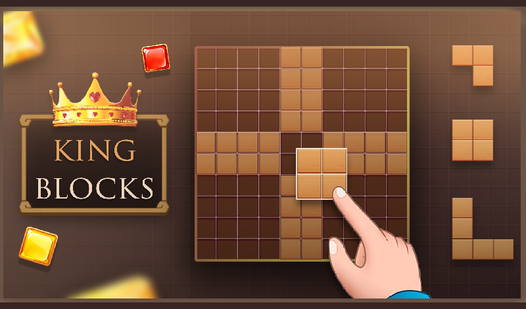
To learn how to play King blocks!, drag your mouse or tap to drop shapes onto the 10x10 board. You need to clear entire rows or columns to keep the space open. Watch your spacing carefully. If you crowd the center too early, you will run out of room for those annoying L-shaped pieces.
King blocks! controls and strategy
The King blocks! controls are simple point-and-click mechanics. The real challenge is patience. A common mistake is placing pieces without considering what might appear next. Keep the edges clear as long as possible. The late-game board gets cluttered fast, and that is where you will likely mess up your high score.
Who Should Play King blocks!?
Frequently Asked Questions about King blocks!
How do you clear lines in King blocks!?
You clear lines by filling every square in a horizontal or vertical row. Once a line is solid, it vanishes and gives you more room to place new shapes.
Can I play King blocks! on my phone?
Yes, it works perfectly on mobile browsers. You can tap and drag pieces just as effectively as you would with a mouse on your desktop.
Is King blocks! free to play?
Yes, King blocks! is completely free to play on Nub Games. There are no in-app purchases. No download or registration required.
Can I play King blocks! on mobile?
King blocks! works on both desktop and mobile devices. Best played in portrait mode.
What age rating is King blocks!?
King blocks! has a content rating of 0++. It is suitable for all ages.