

Key Features
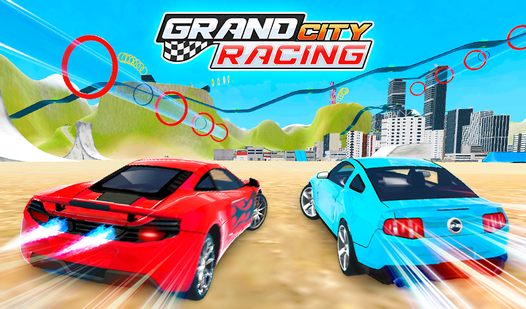
- Dual Player Chaos: Split-screen lets you race against a friend on the same monitor. Watch their screen to predict their next move.
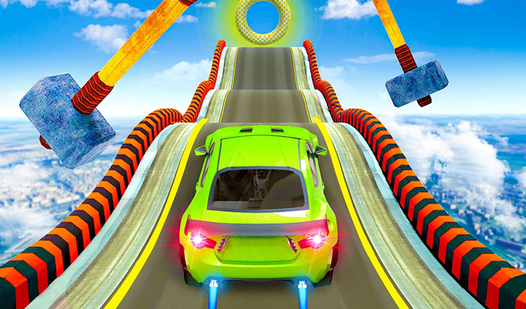
- Time Attack Trials: The clock is your only enemy on these weird, non-standard tracks. You have to be perfect to beat the timer.
- Open World Driving: The Free Drive map is huge. Just cruise around to test your suspension on the hidden jumps.
- Cash Rewards: Every race pays out. Use the money to unlock faster rides that actually handle the corners.
How to Play
Grand City Racing: Mastering the drift
Use WASD or arrow keys to handle the Grand City Racing controls. You’ll need to tap the brake lightly before tight corners. Don’t hold the gas through every bend or you’ll slide into the barriers. Learning how to play Grand City Racing takes patience because the physics are a bit floaty.
Winning in Grand City Racing
Focus on the Racing mode to stack up cash for better cars. Don't waste time spinning your wheels at the start line. A common mistake is ignoring the challenge tracks, which provide the best practice for your agility. Once you clear these, the Free Drive map acts as a massive playground.
Who Should Play Grand City Racing?
Frequently Asked Questions about Grand City Racing
Does Grand City Racing have multiplayer?
Yes, you can play in two-player mode on a single computer. Just pick your cars and start the race to challenge a friend right beside you.
Can I play Grand City Racing on my phone?
The game works on mobile devices through your browser. Just make sure your internet connection is stable so you don't lag during a tight drift.
Is Grand City Racing free to play?
Yes, Grand City Racing is completely free to play on Nub Games. There are no in-app purchases. No download or registration required.
Can I play Grand City Racing on mobile?
Grand City Racing is currently available on desktop only. Best played in landscape mode.
What age rating is Grand City Racing?
The catalog age rating for Grand City Racing is 6+.