











Key Features
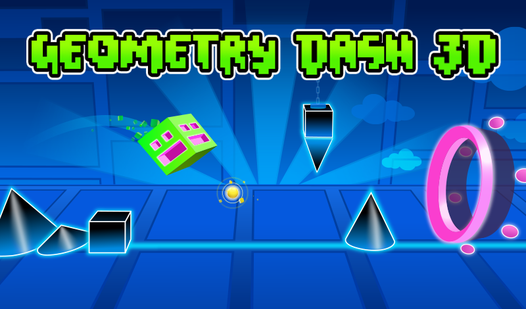
- Rhythmic Obstacles: Every spike placement matches the beat. You learn to trust the music instead of your eyes.
- Camera Shifts: The view flips between 2D and 3D perspectives. It keeps you on your toes during every run.
- Gravity Portals: These flip your gravity instantly. They force you to rethink your jump timing mid-air.
- Collectible Skins: Spend your points on new looks. They do not change your hitbox, but they look cool.
How to Play
Geometry Dash 3D: Basic movement
First, you need to understand Geometry Dash 3D controls. Use the spacebar to jump over spikes and clear gaps. You must time your taps exactly with the music or you will crash instantly. Most players make the mistake of spamming the jump button instead of keeping a steady, rhythmic pace.
Mastering Geometry Dash 3D flight
Once you grab a ship portal, your cube starts flying. Hold the spacebar to ascend and release to drop. Learning how to play Geometry Dash 3D requires patience because the ship physics feel a bit floaty. If you panic, you will drift right into an obstacle before you can correct your flight path.
Who Should Play Geometry Dash 3D?
Frequently Asked Questions about Geometry Dash 3D
How do you avoid crashing in Geometry Dash 3D?
You must memorize the level patterns through repetition. The game is unforgiving, so pay attention to where you died and adjust your timing on the next attempt.
Can I play Geometry Dash 3D on my phone?
Yes, you can play this on mobile devices directly through your web browser. The touch controls work just like the spacebar, requiring quick taps to navigate the obstacles.
Is Geometry Dash 3D free to play?
Yes, Geometry Dash 3D is completely free to play on Nub Games. Optional in-app purchases are available. No download or registration required.
Can I play Geometry Dash 3D on mobile?
Geometry Dash 3D works on both desktop and mobile devices. Best played in landscape mode.
What age rating is Geometry Dash 3D?
The catalog age rating for Geometry Dash 3D is 6+.