










Key Features
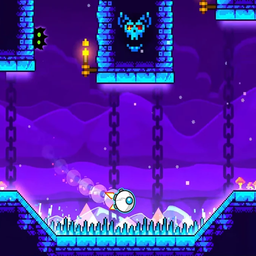
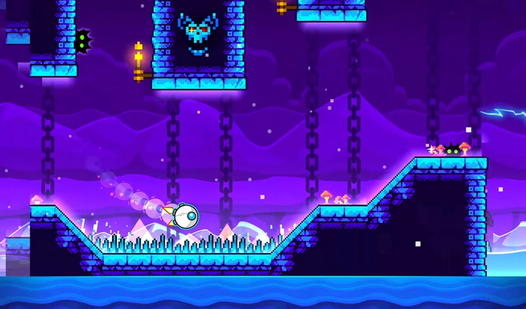
- Beat-synced chaos: Every spike and platform moves in direct response to the track. You aren't just platforming; you are dancing through a minefield.
- Cube customization: Unlock new skins to flex on your friends. It changes nothing about the gameplay, but looking cool matters.
- Checkpoint saves: The later levels are kind of unfair. Thankfully, you can hit a checkpoint and stop your progress from resetting entirely.
- Skip button: Total wall? Just bounce to the next level.
How to Play
Geᴏmetry 2.2: Master the click
Learning how to play Geᴏmetry 2.2 starts with keeping your thumb or mouse finger ready. Use the Space bar, W, or your mouse to jump. Timing is everything here because the obstacles move strictly to the bass. Don't panic when you miss; just respawn and try again.
Navigating Geᴏmetry 2.2 controls
The Geᴏmetry 2.2 controls feel a bit slippery when you first start moving. You might overshoot a landing if you tap too hard. Just accept that you will mess up spectacularly a few times. Once you get the jump height down, you can start hunting for those hidden checkpoints.
Who Should Play Geᴏmetry 2.2?
Frequently Asked Questions about Geᴏmetry 2.2
How do you unlock new skins in Geᴏmetry 2.2?
Head over to the store menu to trade your hard-earned progress for new looks. You don't need real money, just keep playing and collecting rewards as you finish levels.
Can I play Geᴏmetry 2.2 on my phone?
Yes, you can play on your mobile browser without installing anything. Just make sure your screen is clean, because one thumb slip means starting the level over.
Is Geᴏmetry 2.2 free to play?
Yes, Geᴏmetry 2.2 is completely free to play on Nub Games. There are no in-app purchases. No download or registration required.
Can I play Geᴏmetry 2.2 on mobile?
Geᴏmetry 2.2 works on both desktop and mobile devices. Best played in landscape mode.
What age rating is Geᴏmetry 2.2?
The catalog age rating for Geᴏmetry 2.2 is 6+.