








Key Features
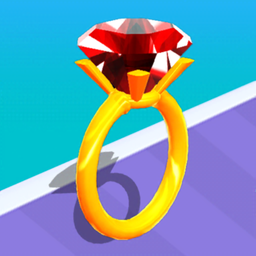
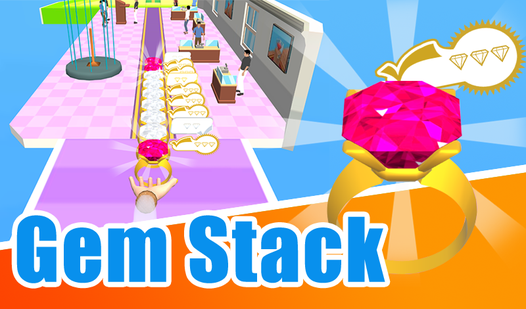
- Tactile Grinding: The vibration and visual feedback make every cut feel heavy. You actually see the stone transform from a lump into a polished ring.
- Greedy Upgrades: Collecting more stones during the run acts as currency. You need that extra bulk to survive the later, narrower segments.
- Narrow Paths: The track width shrinks as the level progresses. It forces you to make split-second decisions to keep your jewel intact.
- Visual Shine: Seeing the dull rock turn into a sparkly diamond provides a nice payoff. It makes the risk of hitting an obstacle feel worth it.
How to Play
Gem Stack: The basics
To learn how to play Gem Stack, just tap or use your mouse to slide left and right. Your goal is to gather rough stones while dodging obstacles that chip away at your progress. Gem Stack controls are touchy, so move early to avoid hitting the sides of the track.
Why does Gem Stack get harder?
As you advance, the track narrows and the obstacles move faster. If you hit a barrier, you lose your progress and the jewel shrinks. The biggest mistake is moving too late. You need to anticipate the path ahead, or you will watch your hard-earned diamond crumble into nothing.
Who Should Play Gem Stack?
Frequently Asked Questions about Gem Stack
Can I play Gem Stack on my phone?
Yes, it works perfectly on mobile browsers. Since the controls are just simple side-to-side swipes, it actually feels better on a touchscreen than a mouse.
How do you avoid losing diamonds in Gem Stack?
You must steer clear of the red barriers at all costs. If you clip a side, your diamond loses size immediately, so focus on centering yourself before the path narrows.
Is Gem Stack free to play?
Yes, Gem Stack is completely free to play on Nub Games. There are no in-app purchases. No download or registration required.
Can I play Gem Stack on mobile?
Gem Stack works on both desktop and mobile devices. Best played in portrait mode.
What age rating is Gem Stack?
The catalog age rating for Gem Stack is 0+.