











Key Features
- Modular Build System: Swap parts mid-run to change your stats. Your choices directly impact whether you can tank a hit or outrun the incoming fire.
- Boss Fight Chaos: Every boss forces you to adapt your build. One wrong turn and your robot is scrap metal.
- Dynamic Part Upgrades: Resources act as currency. Invest wisely to survive longer.
- Desktop and Mobile: The game works on any device. Play wherever you have a connection.
How to Play
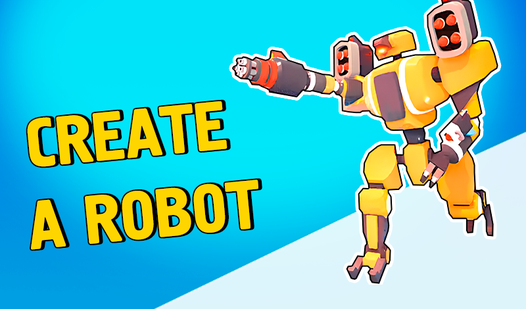
Create a robot: Master the controls
Hold your finger or left mouse button down to steer your creation left or right. Use the Create a robot controls to dodge incoming debris while you keep your sights locked on the enemy. Don't worry about being perfect early on because the movement feels a bit floaty at first.
Create a robot: Upgrade your junk
Collecting resources is how you get stronger. Spend your loot on better parts before each level starts to avoid getting wrecked by the tougher bosses. If you want to learn how to play Create a robot, focus on balancing speed with armor stats, or you'll get blown up fast.
Who Should Play Create a robot?
Frequently Asked Questions about Create a robot
Can I play Create a robot on my phone?
Yes, it works fine on mobile browsers just like it does on a desktop. You just tap and drag to control your bot through the levels.
What is the best way to Create a robot for bosses?
Focus on upgrading your fire rate and durability early. Most bosses have massive hitboxes, so you don't need to aim perfectly if you have enough firepower.
Is Create a robot free to play?
Yes, Create a robot is completely free to play on Nub Games. There are no in-app purchases. No download or registration required.
Can I play Create a robot on mobile?
Create a robot works on both desktop and mobile devices. Best played in portrait mode.
What age rating is Create a robot?
The catalog age rating for Create a robot is 12+.