







Key Features
- Color logic: Buttons shift the liquid tone in real time. One wrong tap ruins the whole batch, forcing you to start the drink over.
- Target matching: The tiny reference image is your only guide. squinting helps.
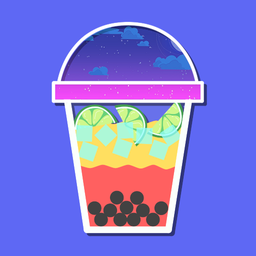
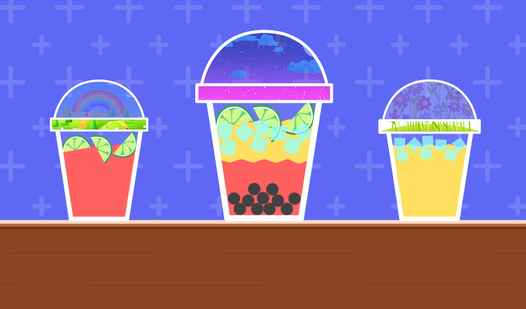
- Visual feedback: The glass changes appearance immediately. It shows exactly how much you messed up.
- Desktop play: Clicking on a larger desktop screen makes the subtle color shifts easier to spot than on a phone.
How to Play
Mastering the Create a cocktail! interface
This is how to play Create a cocktail! using your mouse or a single tap. Look at the target drink in the top right corner and click the buttons that correspond to the colors you need. The Create a cocktail! controls feel a bit twitchy at first, so don't rush your clicks.
Crushing Create a cocktail! levels
Watch the glass fill up closely. A common mistake is clicking too fast and overshooting your color mix, which forces a restart. Once you nail a landing on the hue, the game bumps you to a trickier drink. The later stages get wild with shades that barely look different from each other.
Who Should Play Create a cocktail!?
Frequently Asked Questions about Create a cocktail!
How do you mix colors in Create a cocktail!?
You select the ingredient buttons shown on the screen to add color layers to your glass. Each button changes the liquid based on the logic of that specific level.
Can I play Create a cocktail! on my phone?
Yes, you can pull this up on your mobile browser. The buttons are sized well for touch, though fat fingers might struggle with the tiny target color reference.
Is Create a cocktail! free to play?
Yes, Create a cocktail! is completely free to play on Nub Games. There are no in-app purchases. No download or registration required.
Can I play Create a cocktail! on mobile?
Create a cocktail! works on both desktop and mobile devices. Best played in portrait mode.
What age rating is Create a cocktail!?
Create a cocktail! has a content rating of 0++. It is suitable for all ages.