








Key Features
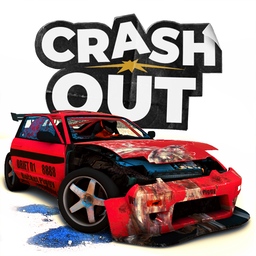
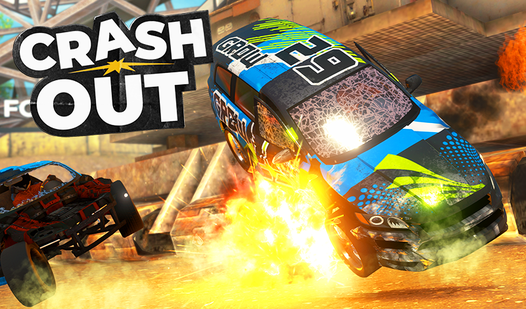
- Crunchy Damage Model: Every impact dents the frame and breaks glass. If you ruin the chassis, your steering will pull hard to one side.
- Customizable Rides: Swap skins and tune parts to survive longer. Aesthetics matter when you are drifting through the 3d debris.
- Destructible Environments: The track changes as you smash through signs and barriers. Don't expect the scenery to stay standing after two laps.
- Engine Fire Physics: Keep hitting things until the hood glows orange. Totaling your car is the ultimate goal here.
How to Play
Mastering basic CrashOut movement
Use WASD to steer and hit Space to drift around those tight corners. Learning how to play CrashOut comes down to speed management; if you hold the gas through every turn, you will fly off the track. CrashOut controls feel a bit heavy, so start braking before you think you need to.
Causing maximum CrashOut destruction
Aim for head-on impacts to watch body panels fly off. You should avoid clipping walls at low angles because that just scratches the paint. If you want to see the engine catch fire, you need to hit obstacles with the front of the car at high speeds.
Who Should Play CrashOut?
Frequently Asked Questions about CrashOut
How do you trigger the engine fire in CrashOut?
You need to sustain heavy damage to the front of your car by hitting walls or other vehicles at high velocity. Eventually, the engine will overheat and burst into flames.
What are the controls for CrashOut?
You navigate with WASD, use the Space bar for the handbrake, and tap F to engage NOS. Use the right mouse button if you need to rotate the camera around your ride.
Is CrashOut free to play?
Yes, CrashOut is completely free to play on Nub Games. There are no in-app purchases. No download or registration required.
Can I play CrashOut on mobile?
CrashOut is currently available on desktop only. Best played in landscape mode.
What age rating is CrashOut?
The catalog age rating for CrashOut is 6+.