








Key Features
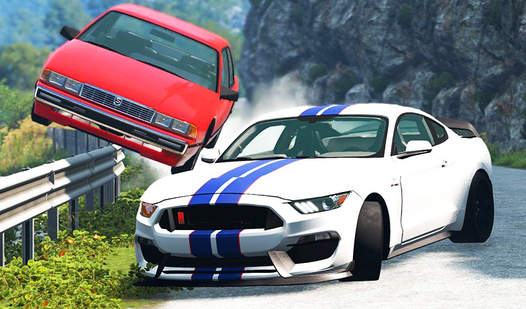
- Visible metal crunching:
- Fiery wreck consequences:
- Physics-based terrain:
- Multiple camera angles:
How to Play
Crash Drive Simulator: Destroy cars!: Mastering the basics
Use WASD to steer and the spacebar for the handbrake. You need to learn how to play Crash Drive Simulator: Destroy cars! by actually driving into things at full speed. Don't worry about the paint job. Just focus on hitting the obstacles dead-on to maximize the deformation of your chassis.
What are the Crash Drive Simulator: Destroy cars! controls?
Your Crash Drive Simulator: Destroy cars! controls are straightforward, but don't get cocky. Most people make the mistake of driving too fast toward the edge of the map. If you flip, hit R to respawn quickly. The game gets significantly wilder once you hit the massive ramps near the center.
Who Should Play Crash Drive Simulator: Destroy cars!?
Frequently Asked Questions about Crash Drive Simulator: Destroy cars!
Can I play Crash Drive Simulator: Destroy cars! on my phone?
Yes, it works on mobile devices too. You get a touch interface that lets you steer and wreck things just as easily as you would on a desktop.
How do you reset your vehicle in Crash Drive Simulator: Destroy cars!?
Just press the R key if you end up on your roof. It happens constantly since the physics are loose and you will definitely spend half your time upside down.
Is Crash Drive Simulator: Destroy cars! free to play?
Yes, Crash Drive Simulator: Destroy cars! is completely free to play on Nub Games. There are no in-app purchases. No download or registration required.
Can I play Crash Drive Simulator: Destroy cars! on mobile?
Crash Drive Simulator: Destroy cars! works on both desktop and mobile devices. Best played in landscape mode.
What age rating is Crash Drive Simulator: Destroy cars!?
The catalog age rating for Crash Drive Simulator: Destroy cars! is 6+.