




Key Features
- Chain jump logic: You can hop over your own pieces or the enemy's to reach the goal. It turns a slow crawl into a sprint.
- Tactical AI opponents: The computer calculates paths faster than you. Expect it to punish your clumsy setup mistakes.
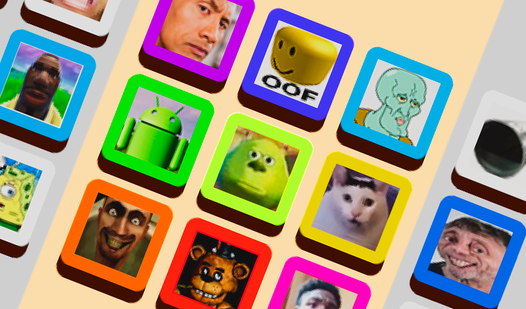
- Social emote board: Spam emojis when you nail a perfect move. It helps when you need to mock a bad play.
- Ranked leaderboard climb: Prove your win rate is legit. Everyone wants the top spot.
How to Play
Corners classic: Getting the board layout
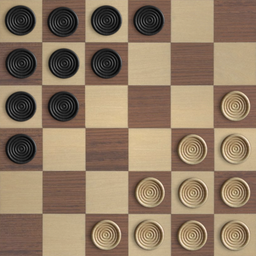
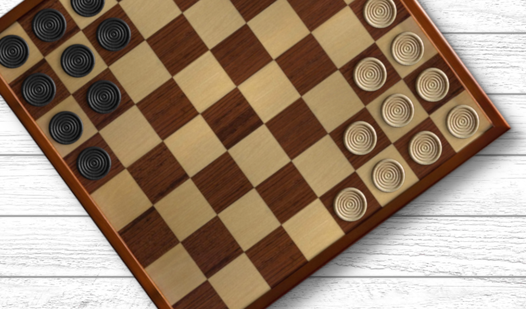
Your goal is simple. Move all your pieces to the corner directly across from your starting zone. Use your mouse or tap to select a piece, then pick an empty spot. Corners classic controls are simple, but watch your spacing. If you crowd your pieces too early, you trap yourself.
Mastering jumps in Corners classic
This is how to play Corners classic effectively. You move one space at a time or jump over adjacent pieces to cover ground faster. Use those jumps to chain moves across the board. The main mistake is moving without checking if you left a gap for your opponent to exploit.
Who Should Play Corners classic?
Frequently Asked Questions about Corners classic
How do you win at Corners classic?
You must move all your pieces into the opposite corner before your opponent does. Strategy revolves around building chains of jumps to cross the board in fewer turns.
Can I play Corners classic on my phone?
Yes, it works on mobile browsers without any issues. The touch interface is responsive, though the board pieces can feel a bit small on tiny smartphone screens.
Is Corners classic free to play?
Yes, Corners classic is completely free to play on Nub Games. There are no in-app purchases. No download or registration required.
Can I play Corners classic on mobile?
Corners classic works on both desktop and mobile devices. Best played in landscape mode.
What age rating is Corners classic?
The catalog age rating for Corners classic is 6+.