











Key Features
- Strict piece rotation: You cannot spin blocks. This limitation makes simple shapes feel like impossible geometric puzzles during late-game scrambles.
- Batch distribution: You get three shapes at once. You must exhaust the whole supply before seeing what comes next.
- Grid pressure: The board fills up fast. One wrong move leaves you with zero space for the incoming pieces.
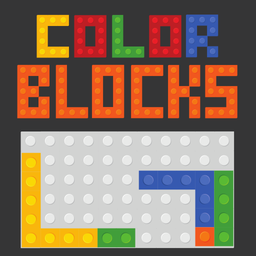
- Minimalist aesthetic: The clean look helps you focus on the shapes. It keeps the visual noise low while you panic.
How to Play
How to play Color Blocks effectively
Use your mouse or finger to drag pieces onto the grid. Color Blocks controls are responsive, but don't rush. You need to fill entire rows or columns to clear space. If you fill the board without making a line, it is game over.
Color Blocks: Managing your supply
The game forces you to use all three pieces before showing you the next batch. This is where you mess up spectacularly if you aren't planning ahead. A common mistake is crowding the center. Leave the edges open as long as you can to keep your options flexible.
Who Should Play Color Blocks?
Frequently Asked Questions about Color Blocks
Can I play Color Blocks on my phone?
Yes, it works perfectly on mobile devices. You just tap and drag the blocks with your finger instead of using a mouse.
What are the controls for Color Blocks?
You simply click and hold a block, then drag it to your desired spot on the grid. Releasing the mouse button drops the piece into place.
Is Color Blocks free to play?
Yes, Color Blocks is completely free to play on Nub Games. There are no in-app purchases. No download or registration required.
Can I play Color Blocks on mobile?
Color Blocks works on both desktop and mobile devices. Best played in none mode.
What age rating is Color Blocks?
The catalog age rating for Color Blocks is 0+.