




Key Features
- Tactical AI: The computer reacts to your blunders with cold efficiency. It punishes reckless gambits instantly.
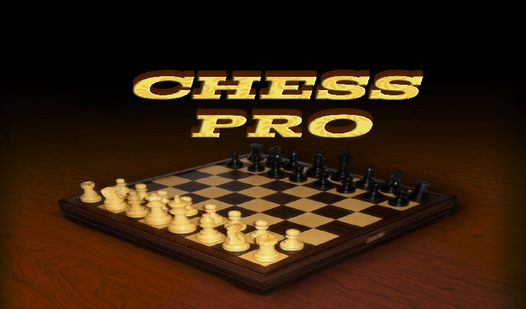
- Visual cues: The board highlights legal moves. You never have to guess if a move is blocked.
- Local rivalry: Pass the device back and forth with a friend. It feels like a real tabletop match.
- Clean interface: The timer keeps things moving. It prevents you from spending an hour on a single turn.
How to Play
Chess Pro: Mastering the board
You move pieces by clicking or tapping them. Chess Pro controls are simple enough, but watch those highlighted squares before you commit. Beginners often rush their pawns forward without support. Don't do that. Build a solid wall of defense first, or your king will be in trouble before you even hit the middle game.
How to play Chess Pro better
Learning how to play Chess Pro requires watching the opponent's score at the top. It tells you exactly how much pressure you are under. If you play against the computer, start on the easy setting. Once you stop blundering your queen every three minutes, move up to the hard difficulty for a real headache.
Who Should Play Chess Pro?
Frequently Asked Questions about Chess Pro
Can I play Chess Pro on my phone?
Yes, it works on mobile browsers just as well as desktop. The touch controls are responsive enough that you won't accidentally move the wrong piece during a tense endgame.
What are the controls for Chess Pro?
Use your mouse or finger to tap and drag your pieces. The game highlights valid moves automatically, though the UI can feel a bit cramped on smaller smartphone screens.
Is Chess Pro free to play?
Yes, Chess Pro is completely free to play on Nub Games. There are no in-app purchases. No download or registration required.
Can I play Chess Pro on mobile?
Chess Pro works on both desktop and mobile devices. Best played in portrait mode.
What age rating is Chess Pro?
The catalog age rating for Chess Pro is 6+.