





Key Features
- Forced Capture Logic: The game locks your moves when a jump is possible. You are forced to commit.
- Customizable Board Rules: Adjust the size and piece count to your liking. It changes the pacing of every match.
- Five AI Tiers: The hardest setting is an absolute nightmare. It punishes every single misstep you make.
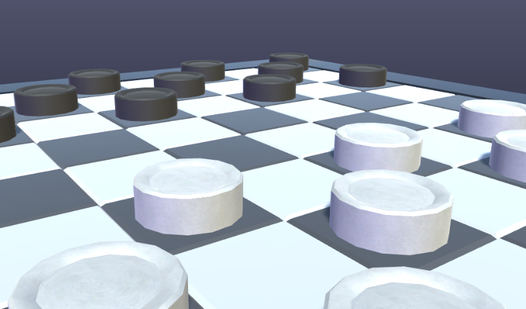
- Rotatable 3D View: You can inspect the board from any angle. It helps you spot hidden traps.
How to Play
Checkers 3D: Classic: Mastering the board
Drag and drop your pieces to move diagonally across the grid. Use the Checkers 3D: Classic controls by holding the right mouse button to rotate the camera. A common mistake is forgetting that forced captures exist, which means you cannot skip a jump if the game flags it as available.
How to play Checkers 3D: Classic efficiently
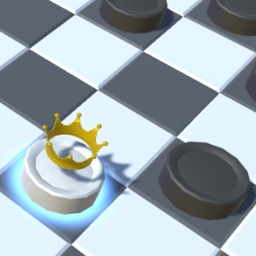
You need to reach the final row to promote your piece into a King. Kings shift the balance of power because they can slide across the board, though the camera can feel a bit sluggish when you are trying to make a quick move. Keep your eyes on the opponent's path.
Who Should Play Checkers 3D: Classic?
Frequently Asked Questions about Checkers 3D: Classic
How do you become a King in Checkers 3D: Classic?
You just need to move your standard piece to the very last row on the opposite side of the board. It upgrades automatically once you nail the landing.
Can I play Checkers 3D: Classic on my phone?
Yes, it works on mobile devices using your touchscreen to drag pieces. The interface keeps the same mechanics regardless of your screen size.
Is Checkers 3D: Classic free to play?
Yes, Checkers 3D: Classic is completely free to play on Nub Games. There are no in-app purchases. No download or registration required.
Can I play Checkers 3D: Classic on mobile?
Checkers 3D: Classic works on both desktop and mobile devices. Best played in landscape mode.
What age rating is Checkers 3D: Classic?
Checkers 3D: Classic has a content rating of 0++. It is suitable for all ages.