










Key Features
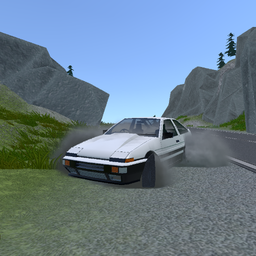
- Loose Physics: The handling feels like you're driving on ice. It forces you to rethink your approach to every turn.
- Camera Modes: Switching views helps you spot hidden paths. It changes your perspective on the map entirely.
- Sandbox Maps: There are no strict goals. You just drive where you want.
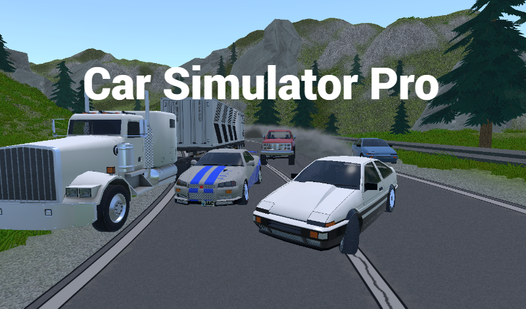
- Vehicle Variety: Each car has a different weight. Some feel heavy and sluggish, while others are quick to flip.
How to Play
Mastering Car Simulator Pro controls
Use WASD or the arrow keys to steer your vehicle through the environment. Spacebar handles your braking, while C toggles your camera angle to get a better look at the surroundings. Learning how to play Car Simulator Pro effectively means keeping your speed consistent, as the physics can get a bit floaty during sharp turns.
Handling Car Simulator Pro physics
Don't expect realistic handling here. The cars feel a bit slippery when you hit high speeds, making it easy to slide off the map if you aren't careful. Most players mess up spectacularly by trying to drift around every single corner. Focus on finding the open areas before you try any stunts.
Who Should Play Car Simulator Pro?
Frequently Asked Questions about Car Simulator Pro
What are the controls for Car Simulator Pro?
You use the W, A, S, and D keys or your arrow keys to steer. Press the spacebar to engage the handbrake and use C to cycle through the available camera angles.
Can I play Car Simulator Pro on my phone?
This game is currently built for desktop browsers only. You will need a keyboard to input the commands, as touch controls are not supported.
Is Car Simulator Pro free to play?
Yes, Car Simulator Pro is completely free to play on Nub Games. There are no in-app purchases. No download or registration required.
Can I play Car Simulator Pro on mobile?
Car Simulator Pro is currently available on desktop only. Best played in landscape mode.
What age rating is Car Simulator Pro?
The catalog age rating for Car Simulator Pro is 6+.